Mac duplicate finder
Mac duplicate file finder: reclaim space from copies
MacZentra finds byte-identical files, copies with similar names, resized or re-encoded photos and near-duplicate videos. Results are sorted by wasted space so the biggest wins come first, and nothing is removed until you choose it.
Scanning is free · $49.99 once to clean · no subscriptionmacOS 13 Ventura or later · Apple silicon
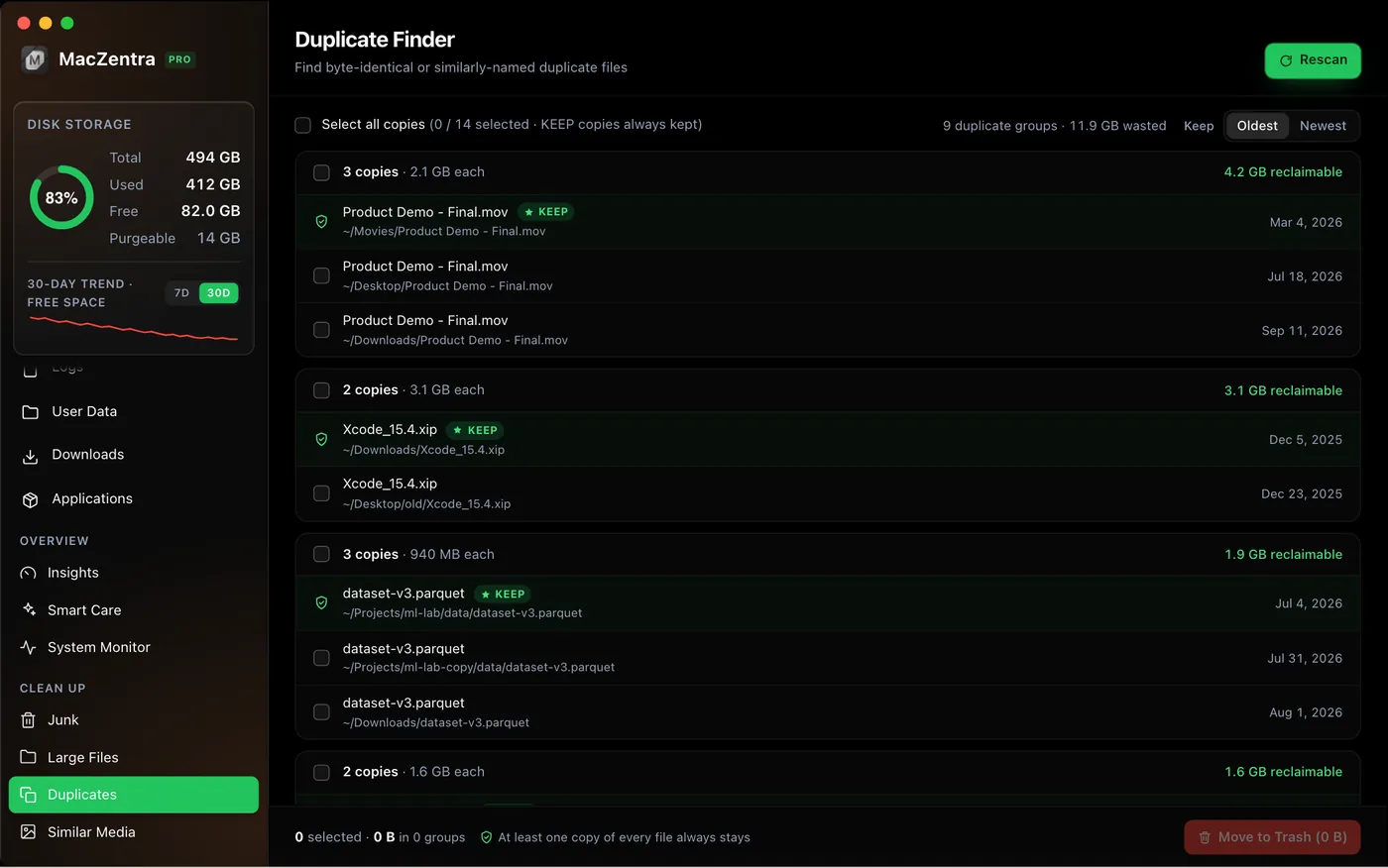
Four ways to find duplicates
Duplicate Finder
Finds byte-identical files by comparing size, then the first 16 KB, then a full BLAKE3 hash. Build folders like node_modules and .git are skipped by default.
Name Duplicates
Fuzzy filename matching that catches report.pdf, report copy.pdf and report (1).pdf, with a configurable similarity threshold. Fuzzy matches are never pre-selected.
Similar Media
Finds resized or re-encoded copies of a photo and near-duplicate MP4, MOV and M4V clips. Items are grouped only when their dHash, aHash and aspect ratio all match.
Photos Duplicates
Finds identical copies inside your Photos library. It keeps one copy per set and adds the rest to a MacZentra Duplicates album, so you review and delete them in Photos itself.
How it works
1. Scan
Run a scan of your disk. Build folders like node_modules and .git are skipped by default.
2. Review the groups
Each group lists its copies, and groups are sorted by wasted space. Select the copies you want to remove and keep the rest.
3. Remove the rest
Removed files go to the macOS Trash, so you can restore a file if you change your mind.
How a duplicate is proven
Two files with the same name are not necessarily the same file, and two files with different names can be identical. MacZentra compares file size first, then the first 16 KB, and only then hashes the full contents with BLAKE3, so only files that match byte for byte are grouped as exact duplicates.
The staged comparison keeps scans fast, because files that already differ in size never need a full hash, and it avoids the false matches that name-based tools produce.
Choosing which copy to keep
Exact duplicates
At least one copy of every group always stays, and you choose which. Keep the one in the folder you actually use.
Name duplicates
Files like report.pdf and report (1).pdf are matched by fuzzy name, so they are never pre-selected. Open both before you decide.
Similar photos and videos
Resized or re-encoded copies are different files, so you decide which version you want to keep.
Photos library
MacZentra never deletes inside Photos. It gathers the extra copies in a MacZentra Duplicates album so you can review and delete them in Photos itself.
Guides: find duplicate files on Mac, find duplicate photos on Mac, or Mac storage cleaner.
Frequently asked questions
How do I find duplicate files on my Mac?+
Scan with a duplicate finder that compares file contents rather than names. MacZentra compares size, then the first 16 KB, then a full BLAKE3 hash, and lists the groups by wasted space.
Is it safe to delete duplicates?+
Review each group and keep the copies you want. Removed files go to the macOS Trash. Fuzzy name matches and similar media are never pre-selected.
Can it find duplicate photos?+
Yes. Similar Media finds resized and re-encoded copies, and Photos Duplicates finds identical copies in your Photos library. It never deletes from Photos itself; it collects them in an album for you to review.
Is the duplicate finder free?+
Scanning and results are free. Deleting is a one-time $49.99 purchase with no subscription.
Will it delete the original file?+
No. Every group of exact duplicates keeps at least one copy, and you choose which one.
Why are node_modules and .git skipped?+
Those build and version-control folders contain many identical files by design, and removing them would break projects. They are skipped by default.
macOS 13 Ventura or later · Apple silicon. MacZentra is an independent app and is not affiliated with METER Group’s ZENTRA.