Mac storage cleaner
Mac storage cleaner: find what fills your disk, pay once
MacZentra is a native Mac storage cleaner. It scans your disk, shows where the space went and clears caches, logs, large and old files, duplicates, developer junk and leftovers from uninstalled apps. Everything you remove goes to the macOS Trash, so you can put it back.
Scanning and maps are free · $49.99 once to clean · no subscriptionmacOS 13 Ventura or later · Apple silicon
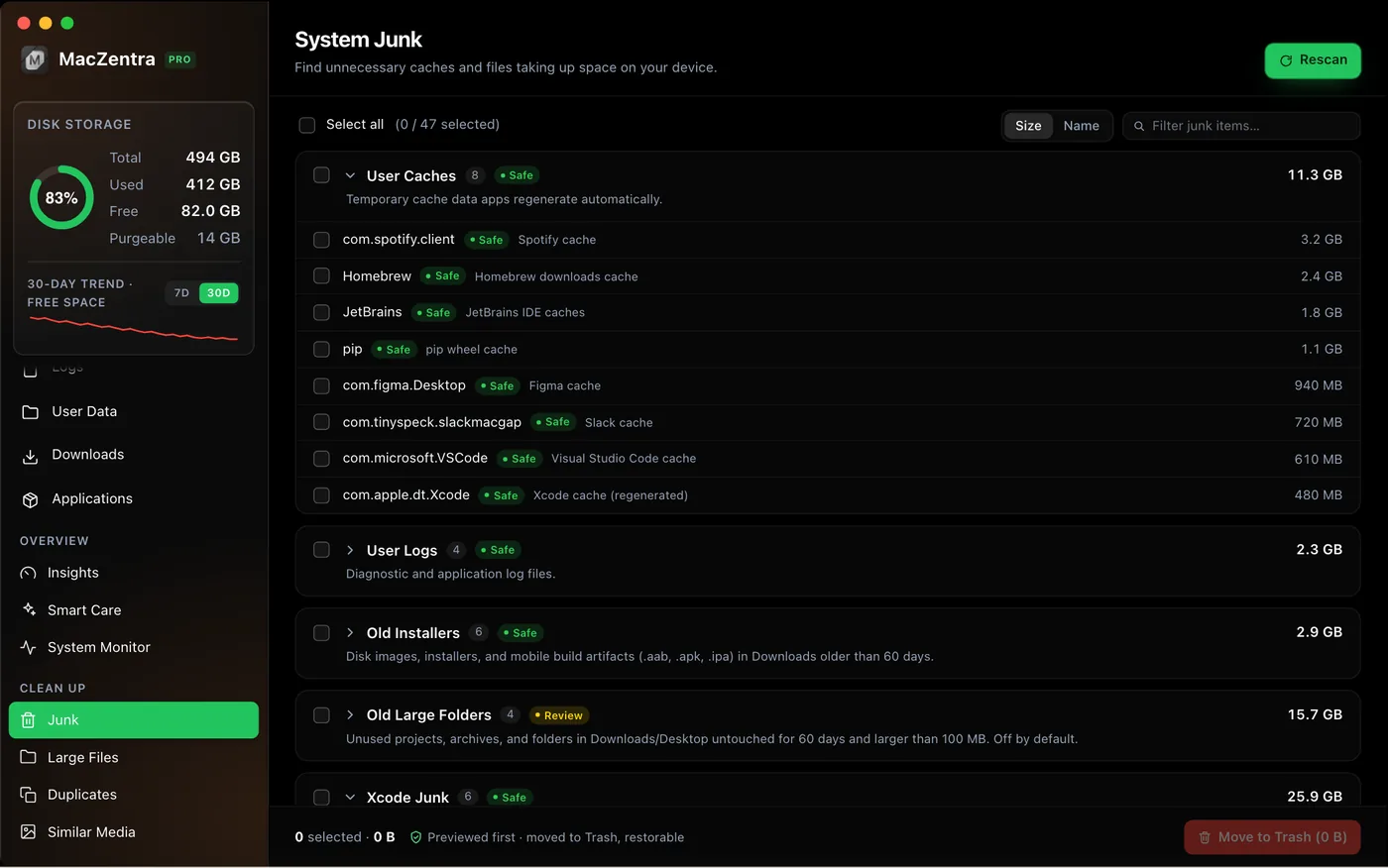
What a Mac storage cleaner should clean
Caches and logs
User caches and logs grouped by category and labelled Safe or Review, so you can see what is low-risk before you remove it.
Large and old files
Find large or old files by size and age, sort by size and review each one before it moves to the Trash.
Duplicates
Byte-identical files are found with a full hash and sorted by wasted space. Similar photos and near-duplicate videos are found separately.
Developer junk
Docker, Xcode DerivedData, node_modules and package-manager caches, with the real on-disk size of each item.
App leftovers
The uninstaller removes an app together with its caches and preferences, and a Leftovers view finds support files whose app is already gone.
System Data
A plain-language breakdown of what macOS lumps into System Data, with links to the view that can clean each part.
How it works
1. Scan for free
Run a scan of your disk. Grant Full Disk Access so macOS-protected folders and caches are included. Your files never leave your Mac.
2. Review
Open the Treemap, Sunburst or Tree View, or Insights for a breakdown by category. Risky items are never pre-selected.
3. Clean up
Select what you no longer need. Items go to the Trash, and iCloud files are evicted rather than deleted.
Why a Mac fills up faster than Storage settings suggest
macOS Storage settings groups most of the space into broad categories such as Applications, Documents and System Data. System Data is the one people struggle with, because it lumps caches, logs, local snapshots and developer files together without saying which is which.
A full-disk scan with Full Disk Access shows the real folders behind those labels, so you can tell whether the weight is in browser caches, an old Xcode build folder, a Docker disk image or a forgotten download.
What gets cleaned, and how risky it is
Safe
Caches and logs that apps rebuild on their own. They are labelled Safe, and anything you remove can still be restored from the Trash.
Review
Large files, old downloads, duplicates and app leftovers. Only you know whether you still need them, so risky items are never pre-selected.
Blocked
Core macOS locations such as /System, /usr, Keychains and Recovery are blocked in the engine, so a mistaken selection cannot touch them.
Free scan, then pay only to clean
Scanning, the Treemap, Sunburst and Tree View, and previews of what you would reclaim are free with no time limit. Cleaning is a one-time $49.99 purchase for one Mac: no subscription, no account, and the licence is checked offline. There is a 7-day money-back guarantee.
Version 1.2.0 added a 7-day free premium trial, so you can try the cleaning itself before you buy.
Want to see the disk first? Open the Mac storage analyzer, developer cleaner, duplicate finder, best Mac storage cleaners compared, free up space on Mac: 10 fixes, or what System Data is.
Frequently asked questions
What is the best way to clean Mac storage?+
Scan the disk first so you can see what actually takes the space, then clear the safe categories: caches, logs, old downloads, duplicates and developer junk. Review large files individually before removing them.
Is there a Mac cleaner without a subscription?+
Yes. MacZentra is a one-time $49.99 purchase for one Mac. It never renews, needs no account, and the licence is verified offline.
Is the scan free?+
Yes. Scanning, the three disk maps and previews of the results are free. Deleting is the one-time $49.99 purchase.
Is it safe to delete what a Mac cleaner finds?+
MacZentra labels items Safe or Review, never pre-selects risky ones, and sends everything you remove to the macOS Trash so you can restore it.
Does MacZentra upload my files?+
No. Scans run locally on your Mac and your file list is never uploaded.
How long does a scan take?+
About 15 to 20 seconds for a 256 GB drive on Apple silicon. Disks with millions of small files take longer.
Do I need to grant Full Disk Access?+
It is recommended. Without it macOS hides protected folders and some caches, so the scan shows less than what is really on the disk.
Does MacZentra work on Intel Macs?+
No. It is a native build for Apple silicon (M1 and later) and needs macOS 13 Ventura or later.
macOS 13 Ventura or later · Apple silicon. MacZentra is an independent app and is not affiliated with METER Group’s ZENTRA.