Mac storage analyzer
See exactly what is using your Mac storage
MacZentra is a native Mac storage analyzer and cleaner. It scans your disk and draws it as a Treemap, a Sunburst or a Tree View, so you can see which folders are taking the space. Then you can remove what you don’t need.
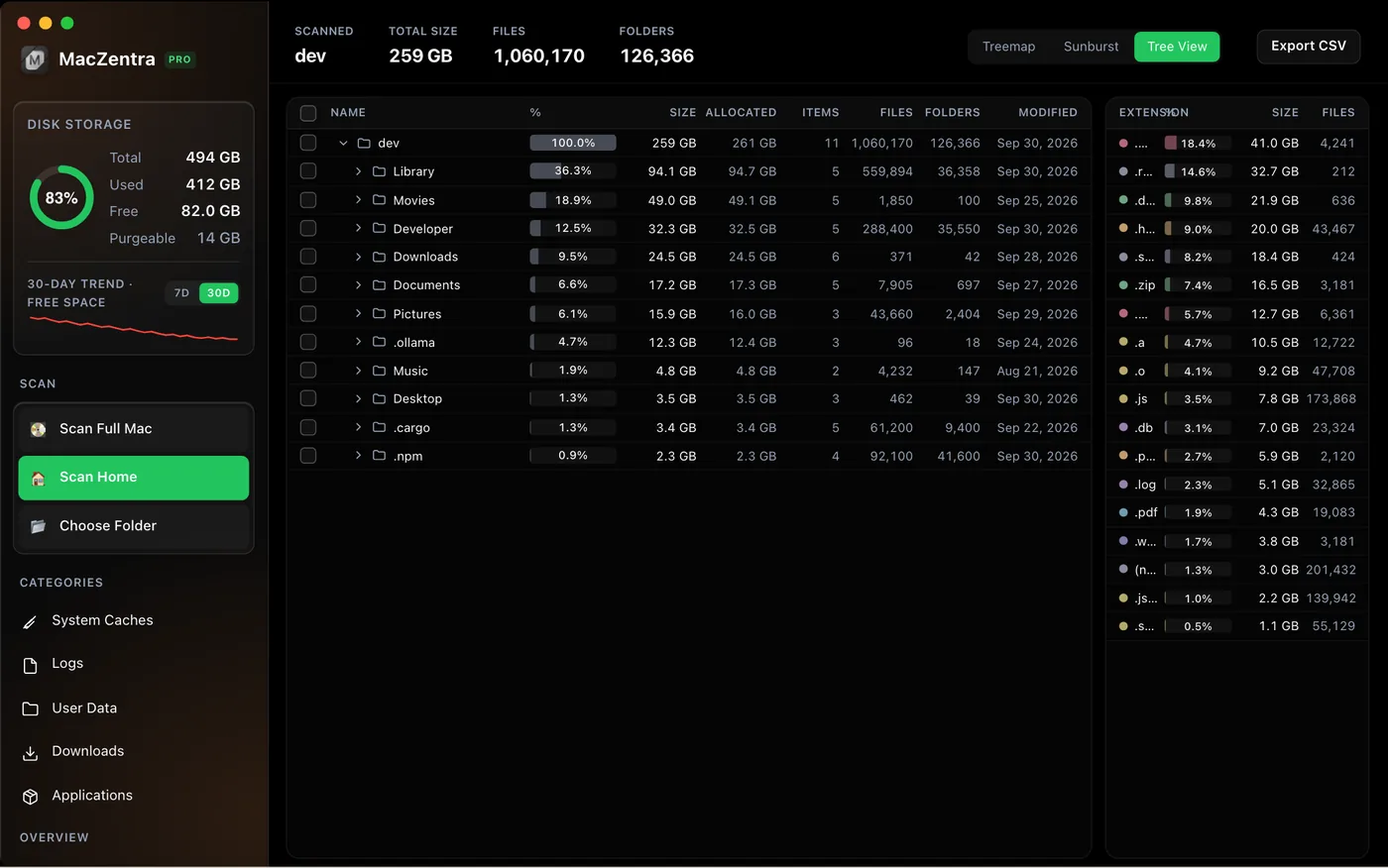
Three ways to look at your disk
Treemap
Every folder is a rectangle sized by how much space it uses. The biggest blocks are the first places to look.
Sunburst
A radial map of your disk. Click a ring to drill into a folder and see what it holds, level by level.
Tree View
A sortable folder tree with sizes, for when you want exact numbers instead of shapes.
How it works
1. Scan
Run a scan of your whole disk. Grant Full Disk Access so macOS-protected folders, caches and mail downloads are included.
2. Explore
Switch between the Treemap, Sunburst and Tree View, and open Insights for a breakdown by category and the largest files.
3. Clean up
Select what you no longer need. Removed items go to the macOS Trash, so you can restore them.
Looking for a full cleaner too? See all MacZentra features, the guide to System Data on Mac, or the best Mac storage cleaners.
Frequently asked questions
What is a Mac storage analyzer?+
A Mac storage analyzer scans your disk and shows which folders and files take the most space, usually as a map or tree. MacZentra does this with a Treemap, a Sunburst and a Tree View.
Is the MacZentra storage analyzer free?+
Yes. Scanning your disk, the three disk maps and previews of the biggest results are free. Deleting is a one-time $49.99 purchase.
How do I see what is using my Mac storage?+
Scan your disk with MacZentra, then open the Treemap or Sunburst. The largest blocks show the folders using the most space. Insights lists the largest files and categories like caches, duplicates and developer junk.
Why is System Data so large on my Mac?+
System Data includes caches, logs, local snapshots and developer files that macOS doesn't break down. A full-disk scan with Full Disk Access shows where that space sits.
Does the analyzer send my file list anywhere?+
No. Scans run locally on your Mac and your file list is never uploaded.
macOS 13 Ventura or later · Apple silicon. MacZentra is an independent app and is not affiliated with METER Group’s ZENTRA.