
Developer junk
Xcode DerivedData: What's Safe to Delete
The MacZentra team · Updated Sep 30, 2026 · 5 min read
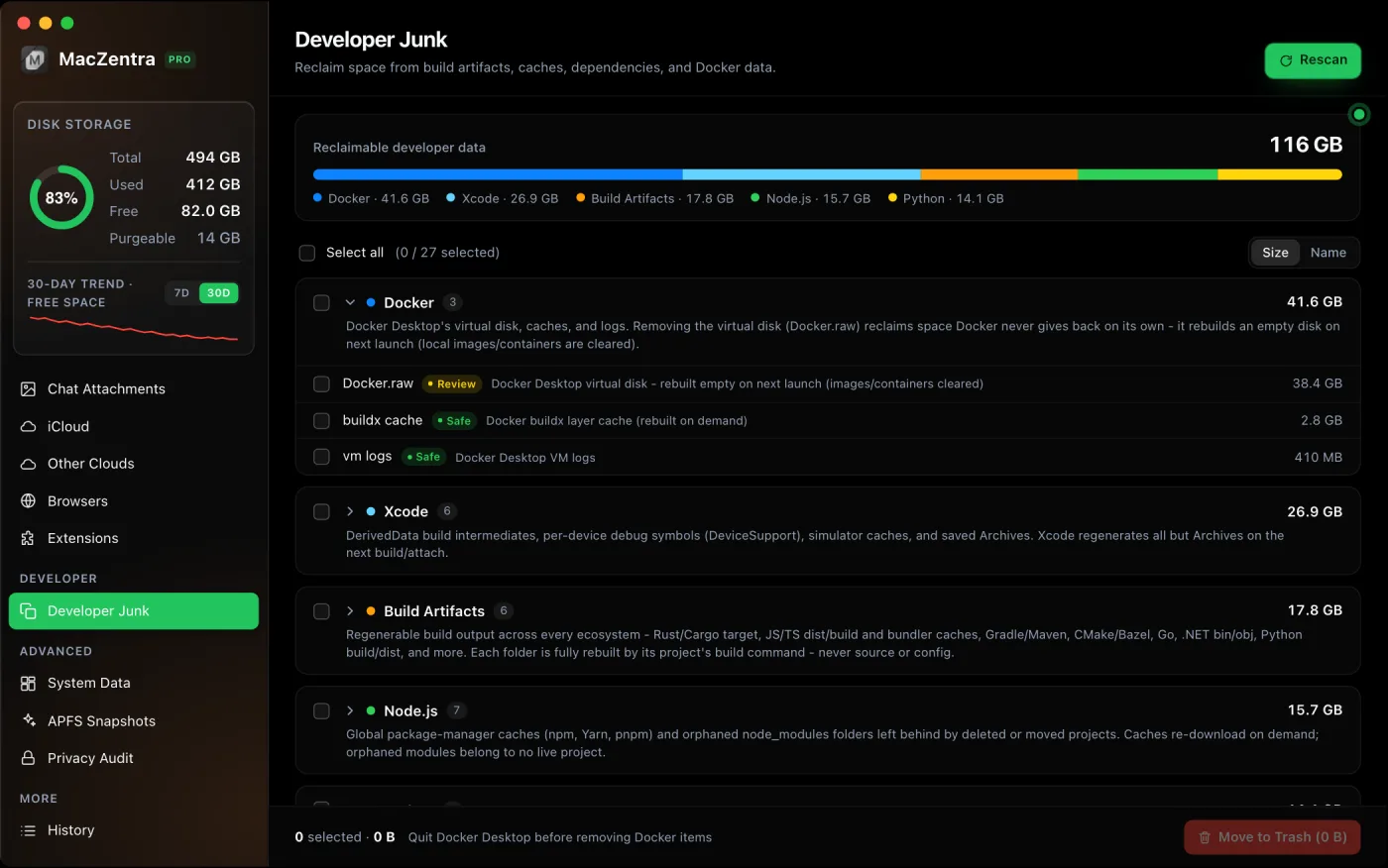
Xcode’s DerivedData folder is always safe to delete. It only holds build products, indexes and logs that Xcode regenerates on the next build. Quit Xcode, delete the folder, and the only cost is a slower first build. The bigger space savings are often in the folders next to it: device support files, old simulators and archives.
What’s in DerivedData?
Every project you open gets a subfolder in ~/Library/Developer/Xcode/DerivedData holding intermediate build files, compiled products, the source index that powers autocomplete, and build logs. Xcode never cleans up folders for projects you’ve stopped opening, so it grows for as long as you use Xcode. 10 to 30 GB is typical on an active Mac.
Three ways to clear DerivedData
1. From Xcode (one project)
Product → Clean Build Folder (⇧⌘K) removes the build products for the open project. It leaves the index and other projects’ folders alone.
2. In Finder (everything)
In Xcode, open Settings → Locations and click the small arrow next to the Derived Data path to reveal it in Finder. Quit Xcode, then move the folder’s contents to the Trash.
3. In Terminal
# Quit Xcode firstdu -sh ~/Library/Developer/Xcode/DerivedDatarm -rf ~/Library/Developer/Xcode/DerivedData/*
The other Xcode folders that fill a Mac
| Folder | What it holds | Safe to delete? |
|---|---|---|
Xcode/DerivedData | Build products, indexes, logs | Yes, always. Rebuilt on next build. |
Xcode/iOS DeviceSupport | Debug symbols for each iOS version of a device you’ve connected, often 2 to 5 GB each | Yes for old versions. Xcode re-copies them when that device connects again. |
CoreSimulator/Devices | Every simulator you’ve created, with its installed apps and data | Unavailable ones, yes. Others lose their app data. |
Xcode/Archives | Builds you archived for release, including the dSYMs used to read crash reports | Only for builds you’ll never need to symbolicate or re-export. |
Caches/com.apple.dt.Xcode | Xcode’s own cache | Yes. Quit Xcode first. |
All paths above are under ~/Library/Developer/ except the last, which is under ~/Library/.
How to clean up simulators
Simulators for iOS versions you no longer have installed stay on disk as “unavailable”. One command removes them all:
xcrun simctl delete unavailable
Simulator runtimes (the downloadable iOS, watchOS and visionOS platforms) are the other big item, several gigabytes each. Remove the ones you don’t test against in Xcode’s Settings → Components (called Platforms in some versions), or from Terminal:
xcrun simctl runtime listxcrun simctl runtime delete <runtime-id>
Should I delete Xcode archives?
Keep archives for any build you’ve shipped and might still get crash reports from: they contain the dSYM files that turn crash logs into readable stack traces. If you upload symbols to your crash reporting service or App Store Connect, older archives are usually safe to remove. Manage them in Window → Organizer → Archives, where you can delete by date.
Will deleting these slow down Xcode?
Only once. After clearing DerivedData, the next build of each project is a full build and indexing runs again, which can take a few minutes on large projects. Device support files are re-copied the next time you connect that device, which shows up as “Preparing device for development”.
Xcode is rarely the only developer tool filling your disk. If you also use Docker or JavaScript tooling, see how to shrink Docker.raw and clear out old node_modules folders.
Everything MacZentra can clean
Treemap and Sunburst disk maps, a duplicate finder, Developer Junk, a complete app uninstaller and more, in one native storage cleaner for Mac that’s 15.4 MB.
Explore all features →Related guides
Developer junk · 5 min
Shrink Docker.raw on Mac: Reclaim Disk Space Safely
Why Docker.raw grows to tens of gigabytes and how to shrink it: prune images, volumes and build cache, resize the disk, and when to delete it.
Developer junk · 6 min
Delete Every node_modules Folder on Your Mac
List every node_modules folder by size in one command, delete the stale ones, and clear npm, Yarn, pnpm and Bun caches.
Developer junk · 3 min
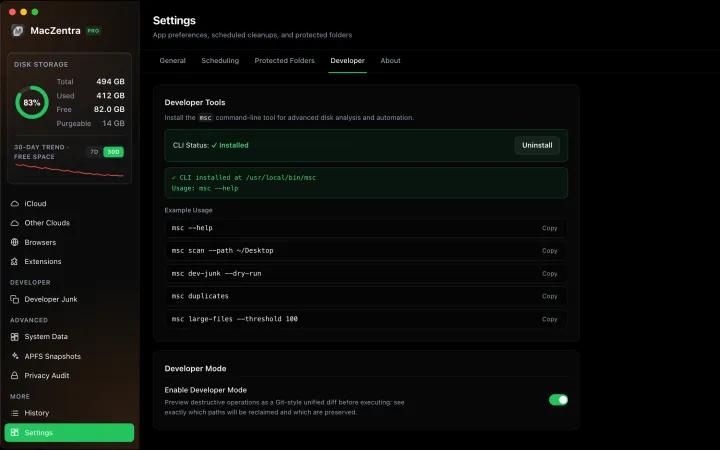
Developer Mode: Preview Deletions as a Git Diff
See exactly what will be deleted before you commit, as a live unified diff. Ideal for auditing risky deletions like Docker.raw or Xcode archives.
Check storage · 9 min
Best Mac Storage Cleaners 2026: Compared & Ranked
Mac storage cleaners and disk space analyzers compared by price, size, scan speed and licence. One-time, subscription and free options side by side.