
Developer junk
Developer Mode: Preview Deletions as a Git Diff
The MacZentra team · Updated Oct 1, 2026 · 3 min read
Developers already have a mental model for reviewing changes before they commit: the diff. Developer Mode brings that to disk cleanup. Before a destructive operation runs, it shows a Git-style unified-diff preview of exactly what will be deleted and what will be kept, with a summary of how many files change and how much space you'll reclaim. You read it like a patch, then decide.
What the diff shows
The preview reads like git diff. Paths marked for deletion appear on red - gutter lines; paths that will be preserved appear as gray context. At the bottom is a commit-style delta summary, for example:
node_modules/.cache/webpack- Library/Developer/Xcode/DerivedData/MyApp-abc123- Library/Caches/com.docker.docker/Docker.rawProjects/active-app/node_modules12 files changed, -8.4 GB space reclaimed
This is especially valuable in Developer Junk, where a single line like Docker.raw can represent gigabytes and you want certainty about what's going before it goes.
Review, export, then execute
The diff modal has two actions beyond closing it:
- Export Diff downloads the preview as a
.patchfile, so you can keep an audit trail of what a cleanup removed, attach it to a ticket, or diff it later. - Execute Deletion runs the operation. Nothing is removed until you click it, and as everywhere in the app, items go to the macOS Trash rather than being erased.
Turning it on
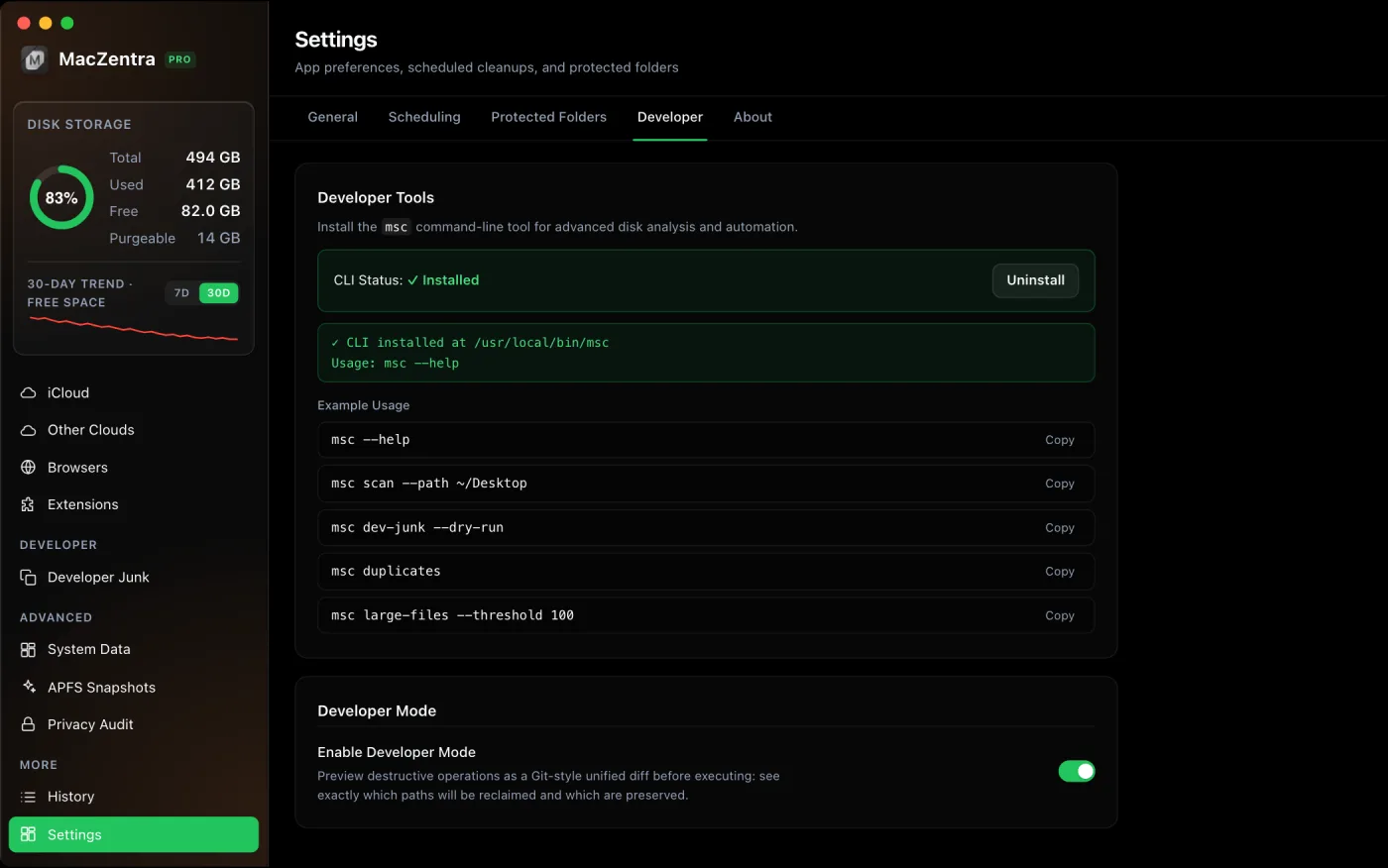
Developer Mode is a Pro feature, toggled from the toolbar. With it on, destructive operations surface the diff modal first instead of deleting straight away. Turn it off and the app behaves normally.
The same preview from the terminal
If you prefer the command line, the msc CLI prints the identical unified diff to stdout, so you can pipe it into your own tooling:
msc diff --dry-run > cleanup-preview.patch
Who is this for?
Anyone who wants to audit a cleanup before it runs, but it's built with developers in mind, people comfortable reading a patch who are about to delete multi-gigabyte build artifacts. Pair it with Protected Folders to keep active projects out of scans entirely, and the two together make large cleanups predictable.
Everything MacZentra can clean
Treemap and Sunburst disk maps, a duplicate finder, Developer Junk, a complete app uninstaller and more, in one native storage cleaner for Mac that’s 15.4 MB.
Explore all features →Related guides
Developer junk · 6 min
Delete Every node_modules Folder on Your Mac
List every node_modules folder by size in one command, delete the stale ones, and clear npm, Yarn, pnpm and Bun caches.
Developer junk · 5 min
Shrink Docker.raw on Mac: Reclaim Disk Space Safely
Why Docker.raw grows to tens of gigabytes and how to shrink it: prune images, volumes and build cache, resize the disk, and when to delete it.
Developer junk · 5 min
Xcode DerivedData: What's Safe to Delete
DerivedData is always safe to delete. Three ways to clear it, plus device support, archives and simulators that fill your Mac.
Check storage · 9 min
Best Mac Storage Cleaners 2026: Compared & Ranked
Mac storage cleaners and disk space analyzers compared by price, size, scan speed and licence. One-time, subscription and free options side by side.