
Check storage
Mole Mac Cleaner: What It Is and How It Compares
The MacZentra team · Updated Nov 15, 2026 · 4 min read
Mole is a free, open-source Mac cleaner that you run from Terminal with the mo command. It cleans caches and logs, removes apps with their leftovers, and shows a disk explorer and a live status view. If you are comfortable in Terminal and want a free tool, it is worth trying. If you would rather click than type, here is how it compares with MacZentra.
What is Mole?
Mole is a GPL-3.0 licensed project. According to its GitHub page, the command-line tool is free, and there is also a separate native download called Mole for Mac. You can install the CLI with Homebrew, a curl install script or Nix, and it supports macOS 12 or newer on both Intel and Apple silicon Macs.
brew install mole
The main commands listed on its page are:
mo clean: deep cleanup of caches, logs and leftovers.mo uninstall: removes apps along with their related files.mo optimize: refreshes caches and services.mo analyze: a visual disk explorer.mo status: a live system health dashboard.
It also lists mo purge, mo installer and mo slim.
Mole vs MacZentra at a glance
| Mole | MacZentra | |
|---|---|---|
| Interface | Command line, plus a separate Mac app download | Native Mac app with Treemap, Sunburst and Tree View |
| Price | CLI is free (open source, GPL-3.0) | Scan free, $49.99 once to clean |
| Install | Homebrew, curl script or Nix | Download the app |
| macOS support | macOS 12 or newer, Intel and Apple silicon | Apple silicon only |
| Disk map | mo analyze, a visual explorer | Treemap, Sunburst and Tree View, free to use |
| Cleans to the Trash | Check its documentation | Yes: removed items go to the macOS Trash |
Mole's details come from its public GitHub page as read on 15 November 2026. Check the project's own documentation for current behaviour, especially how each command deletes files, before you run it.
Who should pick which
Pick Mole if you like Terminal workflows, want a free open-source tool, need Intel Mac support, or want to script cleanups. Read what a command will do before you run it, and start with a command that only reports if one exists.
Pick MacZentra if you want a visual map first and cleaning second, prefer a native app to a command line, and want every removal to land in the Trash so you can restore it. It runs on Apple silicon Macs only.
Everything MacZentra can clean
Treemap and Sunburst disk maps, a duplicate finder, Developer Junk, a complete app uninstaller and more, in one native storage cleaner for Mac that’s 15.4 MB.
Explore all features →Related guides
Check storage · 9 min
Best Mac Storage Cleaners 2026: Compared & Ranked
Mac storage cleaners and disk space analyzers compared by price, size, scan speed and licence. One-time, subscription and free options side by side.
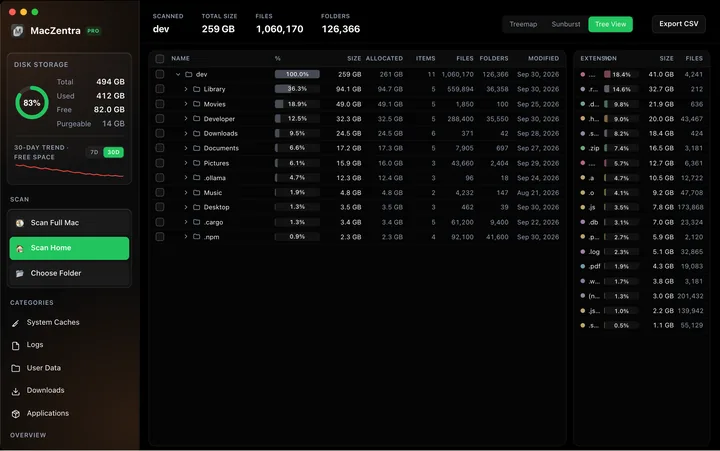
Check storage · 5 min
Mac Disk Usage Analyzer: Read a Treemap and Sunburst
How to read a Mac disk usage analyzer: Treemap, Sunburst and Tree View explained, what to check first, and a Terminal command to find big folders.
Check storage · 7 min
How to Check Storage on Mac: 5 Ways
Check storage on any Mac in under a minute: five built-in ways, what each colour in the storage bar means, and how to find what is using the space.
Check storage · 5 min
Find Large Files on Mac: 4 Ways, Built-in to Terminal
The fastest ways to find large files on a Mac: Storage settings, a Finder search, one Terminal command, or a treemap. Steps and commands for each.