Free up space
Best Software to Find Duplicate Files in 2026
The MacZentra team · Updated Oct 26, 2026 · 9 min read
You are sitting at your desk, ready to export a final project, when a "Disk Full" notification halts your workflow. Your local storage is bloated with forgotten clones of 4K video assets, raw photo batches, and project backups that have accumulated over months of rapid-fire deadlines. The manual search for these hidden copies is impossible across thousands of nested folders, and a generic system cleanup has failed to clear the necessary space.
Choosing the best software to find duplicate files in 2026 requires looking past bloated utility suites to find tools that prioritize native performance and data privacy. This comparison settles which utilities offer permanent licenses over recurring subscriptions and which provide the visual mapping necessary to delete gigabytes of data without accidentally erasing original work. You will be able to select a specific tool for your hardware that scans locally and clears your drive in minutes.
Key takeaways
- Prioritize native Mac storage cleaners over cross-platform ports to ensure system stability and privacy.
- Choose one-time purchase utilities like MacZentra to avoid the long-term cost of recurring software subscriptions.
- Use visual data mapping tools like Treemaps to identify large duplicate clusters that simple lists might miss.
- Verify that your chosen tool scans locally to maintain data privacy without cloud uploads.
Table of contents
- MacZentra leads for native performance and privacy
- Visual mapping reveals what standard lists hide
- Top ranked duplicate finders compared
- Local scanning protects privacy in a cloud-heavy market
- Frequently asked questions
- Select the Best Software for Your Files
MacZentra leads for native performance and privacy
Use MacZentra to reclaim storage on macOS without slowing down your system. It is the most efficient choice. While many developers now produce resource-heavy, multi-platform applications, MacZentra remains a lean, 11 MB native build. This small footprint ensures the application launches instantly and navigates large directory trees without the latency found in "bloatware" utilities. By using Apple’s native file-system APIs directly, the tool achieves a level of responsiveness that cross-platform competitors cannot match. It is the best option for users who prioritize hardware efficiency.
Avoid recurring subscription costs by choosing MacZentra for a one-time purchase price of $49.99. You should confirm current pricing and specific license terms on the vendor's official page. This flat-fee structure provides a permanent solution for duplicate management and eliminates the subscription fatigue common in the modern software market. For a professional user, this is a predictable investment. It avoids the long-term costs of monthly or annual renewals required by other top-tier scanners.
Protect your sensitive client data and proprietary project files by using MacZentra’s local-only architecture. The application performs all scanning, file hashing, and comparison logic on your machine. It does not upload metadata, file names, or directory structures to external servers during the identification process. This distinguishes it from tools that require cloud connectivity, which can be a liability for data sovereignty. To verify these data handling protocols in detail, consult the Privacy Policy for a full disclosure of the software's offline operations. Keeping the entire cleanup process on-device eliminates the risks of data interception or third-party tracking.
Visual mapping reveals what standard lists hide
Use visual maps instead of vertical scrolling to identify redundant data. Standard software often presents results in a text-based format. This method was highlighted in a 2025 review of best free Windows duplicate finders, but text lists do not show where waste is concentrated. If you manage terabytes of data, you cannot easily tell if duplicates are single errors or entire folder replications by reading line by line. Visual mapping shows the physical footprint of every duplicate group so you can take specific action.
Use Treemap and Sunburst visualizations to prioritize deletions. A Treemap uses proportional rectangles to represent file sizes. This makes it clear which duplicate clusters occupy the most disk space. Sunburst views show the directory hierarchy, revealing how deep within a folder structure the redundancy sits. Use these tools to ignore small files and target the massive video renders or database backups that slow down system performance.
Manage files directly within these visual interfaces using MacZentra. Most tools require you to return to a list view to take action, but MacZentra allows you to move files to the Trash from the Treemap or Sunburst segments. This removes the need to switch between identification and removal tasks. Professionals who want to provide these advanced cleanup workflows to clients should become a MacZentra Affiliate to access technical resources. Check the vendor's site for current plan details to confirm features for the 2026 release cycle.
Top ranked duplicate finders compared
Select software based on total value rather than just scanning speed. Many utilities require monthly subscriptions, which is often unnecessary for tools used only once or twice a year. This list focuses on tools that provide clear utility without recurring fees. This ensures the cost of reclaiming disk space does not exceed the price of buying more storage.
Use Aryson Duplicate File Finder & Remover if you manage diverse media libraries. It currently supports over 80 file formats, which makes it a versatile choice for both standard documents and proprietary creative files. User feedback remains high. The tool maintains an average rating of 4.8 stars from 3,685 reviews.
- Verdict: A high-accuracy scanner for complex file systems.
- Who should pick it: Professionals managing massive, multi-format archives.
- Who should not: Users looking for a minimalist, one-button interface.
Pick Ashampoo Duplicate File Finder for a simplified tool focused on system performance and ease of use. While it lacks the breadth of format support found in Aryson, it excels at identifying redundant system files and installer duplicates that bloat Windows directories. Verify current pricing and licensing terms on the official Ashampoo page, as these are subject to change.
- Verdict: A reliable, fast solution for general disk maintenance.
- Who should pick it: Windows users wanting a quick, automated cleanup.
- Who should not: Power users requiring deep-level binary comparison across niche file types.
Base your selection on your operating system and the specific type of clutter. While Windows users have capable standalone options, those on Apple hardware should consult the 5 BEST duplicate file finders for Mac. This guide was updated in May 2026 to reflect the latest OS compatibility. For storage issues that extend beyond simple duplicates to system caches and orphaned logs, review the Best Mac Storage Cleaners 2026: Compared & Ranked. This provides a comprehensive method for drive management.
| Option | Best for | Strongest point | Main trade-off |
|---|---|---|---|
| Aryson Duplicate File Finder & Remover | Complex media archives | Support for 80+ formats | Steeper learning curve |
| Ashampoo Duplicate File Finder | General system cleanup | Interface simplicity | Fewer supported file types |
Local scanning protects privacy in a cloud-heavy market
Prioritize software that performs local scanning to maintain data sovereignty. Many utilities attempt to offload processing to cloud servers, which introduces unnecessary security risks for sensitive professional documents or private archives. Local-first tools ensure that file hashes and metadata never leave the workstation, providing a layer of security that web-based alternatives or cloud-integrated tools cannot match.
Evaluation of these tools relies on six distinct file-matching methods to ensure accuracy across different file types. These techniques range from simple filename and size comparisons to advanced byte-by-byte analysis and CRC32 checksums. Choosing a tool that uses multiple matching methods prevents "false positives," where different files with identical names or timestamps are erroneously flagged for deletion.
For those managing extensive image libraries, specific visual algorithms are necessary to detect edited, compressed, or resized versions of the same shot. This review identifies 21 best duplicate photo finders available that specialize in these visual comparisons. These tools move beyond basic data matching to analyze actual pixel content, which is essential for photographers and designers handling high-volume media archives where metadata may vary between copies.
Distinguish between free utilities and premium local-scanning software based on their privacy policies and resource impact. While free tools often provide basic functionality, they may lack the sophisticated hashing required for large-scale enterprise use or might include bundled third-party software. Premium versions typically guarantee a "no-cloud" approach and offer more thorough matching algorithms for complex file structures. Users should confirm current pricing and specific privacy terms on the vendor's page before purchase to ensure the software meets their specific organizational security standards.
Frequently asked questions
Why do I have so many duplicate photos?
Redundant backups, burst mode photography, and messaging app downloads create the bulk of photo duplicates. Cloud sync services often create local copies that conflict with original imports, while social media apps save edited versions alongside originals. Using a tool like MacZentra helps identify these visually identical files even if the filenames differ.
How can I find duplicate files in a folder?
Use a dedicated duplicate finder to scan the specific directory for identical byte-level data or visual similarities. While manual sorting is possible by sorting by file size, automated software provides visual mapping to see hidden duplicates that standard lists miss. This process ensures you only delete confirmed copies while maintaining folder integrity.
How do you duplicate a file?
Select the file and use the "Duplicate" or "Copy" and "Paste" commands in your operating system's file manager. On macOS, right-click and select Duplicate (Command+D); on Windows, use Copy and Paste (Ctrl+C, Ctrl+V). Professionals often do this to create backups before editing, contributing to the storage clutter that 2026's top finders resolve.
Select the Best Software for Your Files
- Assess your volume. Calculate whether you are clearing a few gigabytes of documents or terabytes of high-resolution media.
- Verify privacy requirements. Determine if your professional data necessitates a local scanner that never uploads file metadata to external servers.
- Compare visualization needs. Decide if you prefer scanning through standard text lists or navigating a visual map of your storage distribution.
- Check platform compatibility. Ensure the software integrates natively with your operating system to maintain peak performance during deep scans.
For professionals who prioritize local processing and intuitive visual mapping, visit MacZentra to start your first system scan. MacZentra is the premier choice for those who need to identify and remove redundant data without compromising their privacy.
Everything MacZentra can clean
Treemap and Sunburst disk maps, a duplicate finder, Developer Junk, a complete app uninstaller and more, in one native storage cleaner for Mac that’s about 15 MB.
Explore all features →Related guides
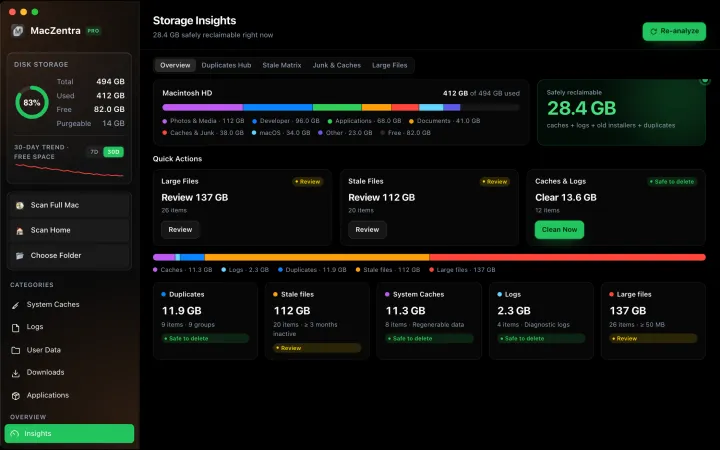
Free up space · 8 min
Free Up Space on Mac: 10 Fixes, Biggest First
Ten ways to free up Mac storage ranked by typical space recovered. Covers hidden Library folders and leftovers macOS Storage settings never show.
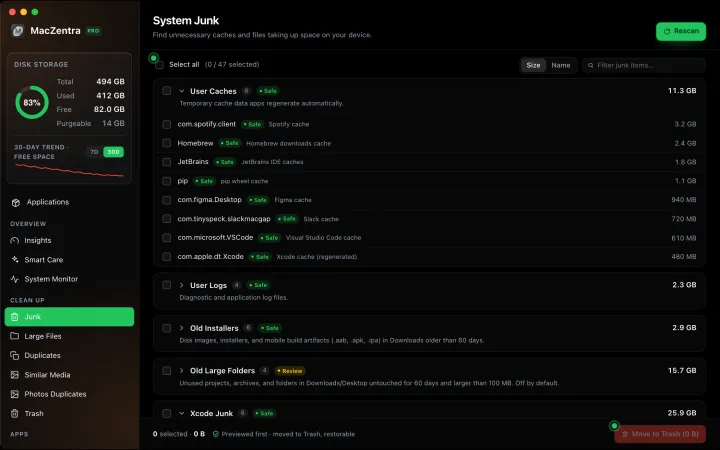
Free up space · 5 min
~/Library/Caches: What's Safe to Delete on Mac
Which ~/Library/Caches folders are safe to delete, which to keep, and how to clear them without breaking apps.
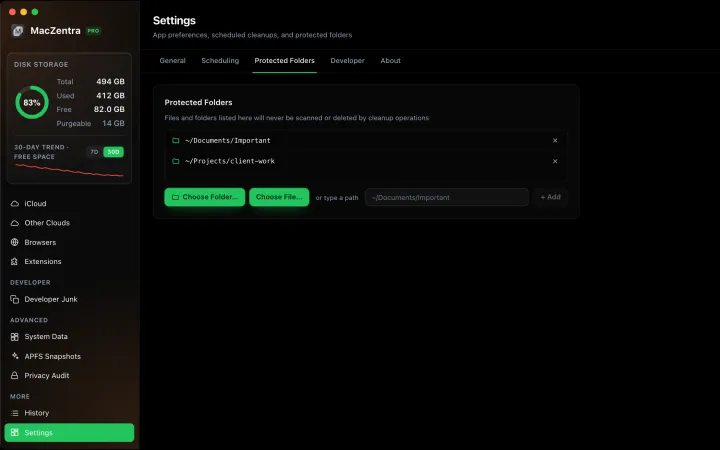
Free up space · 3 min
Protected Files & Folders: Keep Items Safe
How the built-in protected paths guard system-critical locations, and how to add your own custom folders to prevent accidental deletion.

Free up space · 4 min
Smart Care: One-Click Maintenance for Your Mac
Automate daily maintenance with Smart Care: clear caches, empty Trash, flush DNS, and purge inactive memory in a single workflow. Schedule it or run it on demand.