System Data
mds_stores on Mac: Spotlight Index, Disk and CPU Use
The MacZentra team · Updated Nov 9, 2026 · 4 min read
mds_stores is part of Spotlight, the macOS search system. It builds and updates the search index of your files, which is why it can use a lot of disk and CPU after a macOS update or when many files change. It is normal and you should not stop it. If search is broken or the index looks stuck, you can rebuild the index with one command. This guide shows how to check it and when rebuilding is worth it.
What are mds, mds_stores and mdworker?
Three background processes work together. On the Mac we checked, all three were running, from the Metadata framework inside macOS:
mds: coordinates Spotlight and answers search requests.mds_stores: manages the index stores on disk.mdworker_shared: reads files and extracts the text and details to index.
You can see them in Activity Monitor (search for "md") or in Terminal:
ps -axo comm= | grep -E "mds|mdworker"
Where is the Spotlight index?
The index for your main disk lives in a hidden folder on the Data volume. On the Mac we checked it is owned by root and the _mds_stores group, and normal users cannot read it:
ls -ld /System/Volumes/Data/.Spotlight-V100
Reading its size without administrator rights fails with "Permission denied". To measure it you need sudo. We did not run that, so we can't give you a typical size. It grows with the number of files you have.
sudo du -sh /System/Volumes/Data/.Spotlight-V100
Check whether indexing is on
mdutil -s /
On our Mac this printed Indexing enabled. If it says indexing is disabled, Spotlight search will not find your files.
Why does it use so much disk and CPU?
The usual triggers are a macOS update, a large copy or download, connecting a drive with many files, or restoring from a backup. Spotlight then reads and indexes the new files. The activity normally settles down within hours. If it keeps running for days and your Mac stays slow, the index may be damaged.
How to rebuild the index
This erases the index and lets macOS build it again. During the rebuild Spotlight search will be incomplete, and the Mac will use more CPU and disk until it finishes.
sudo mdutil -E /
Per Apple's mdutil manual page, -E erases the local store for the volume and rebuilds it if appropriate, -s shows the status, and -i on|off turns indexing on or off. Only use -i off if you are sure you don't need search on that volume.
Keep large folders out of Spotlight
- Use Search Privacy. In System Settings → Spotlight, add folders you don't want searched, such as build folders or large archives. Spotlight stops indexing what you add.
- Find what is large first. Use these ways to find large files to decide which folders to exclude.
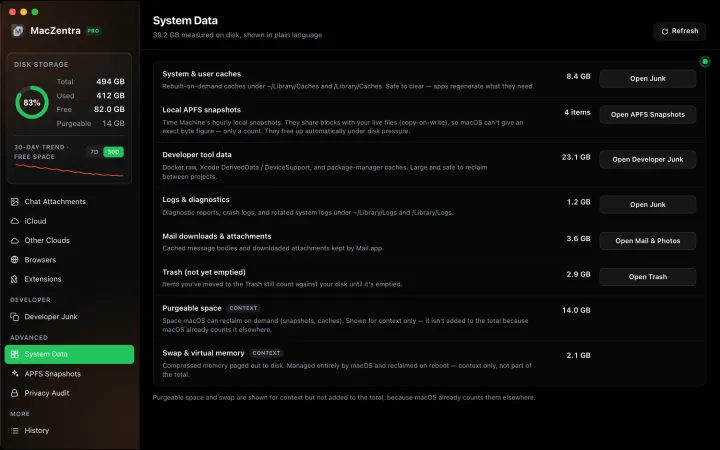
If your concern is the grey System Data bar rather than search, start with what System Data is, and see what /var/folders is for the temporary-file side of it.
Everything MacZentra can clean
Treemap and Sunburst disk maps, a duplicate finder, Developer Junk, a complete app uninstaller and more, in one native storage cleaner for Mac that’s 15.4 MB.
Explore all features →Related guides
System Data · 6 min
How Much Storage Does macOS Take Up?
How much storage macOS takes up on your Mac, how to measure each volume, why System Data looks so big, and how to reclaim space safely.
System Data · 5 min
System Data Jumped After a macOS Update: What to Clear
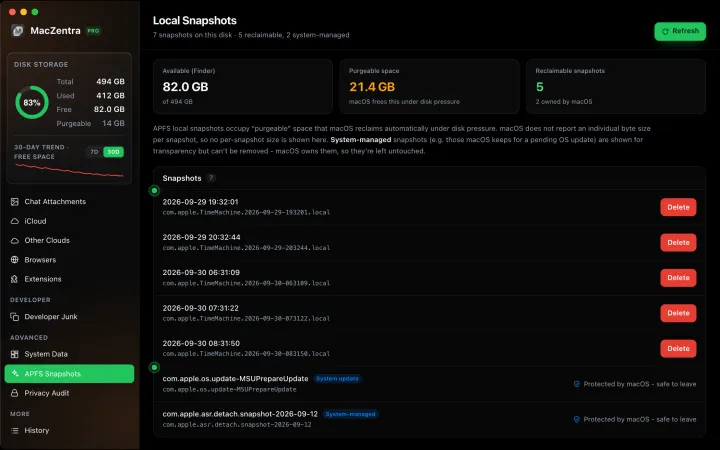
Why System Data grows by tens of GB after a macOS update, what is temporary, and the safe steps to shrink it: snapshots, leftover installers and caches.
System Data · 7 min
What Is System Data on Mac? And How to Shrink It
System Data is the grey bar in macOS Storage. See what it contains, how much is normal, and the safe order to shrink it, step by step.
System Data · 4 min
/Library/Caches vs ~/Library/Caches: What's the Difference?
/Library/Caches is shared by every user; ~/Library/Caches is yours. Real sizes from a Mac we checked, why the sticky bit matters, and which one to clear.