
Free up space
Clear Browser Cache on a Mac, Safely
The MacZentra team · Updated Nov 17, 2026 · 5 min read
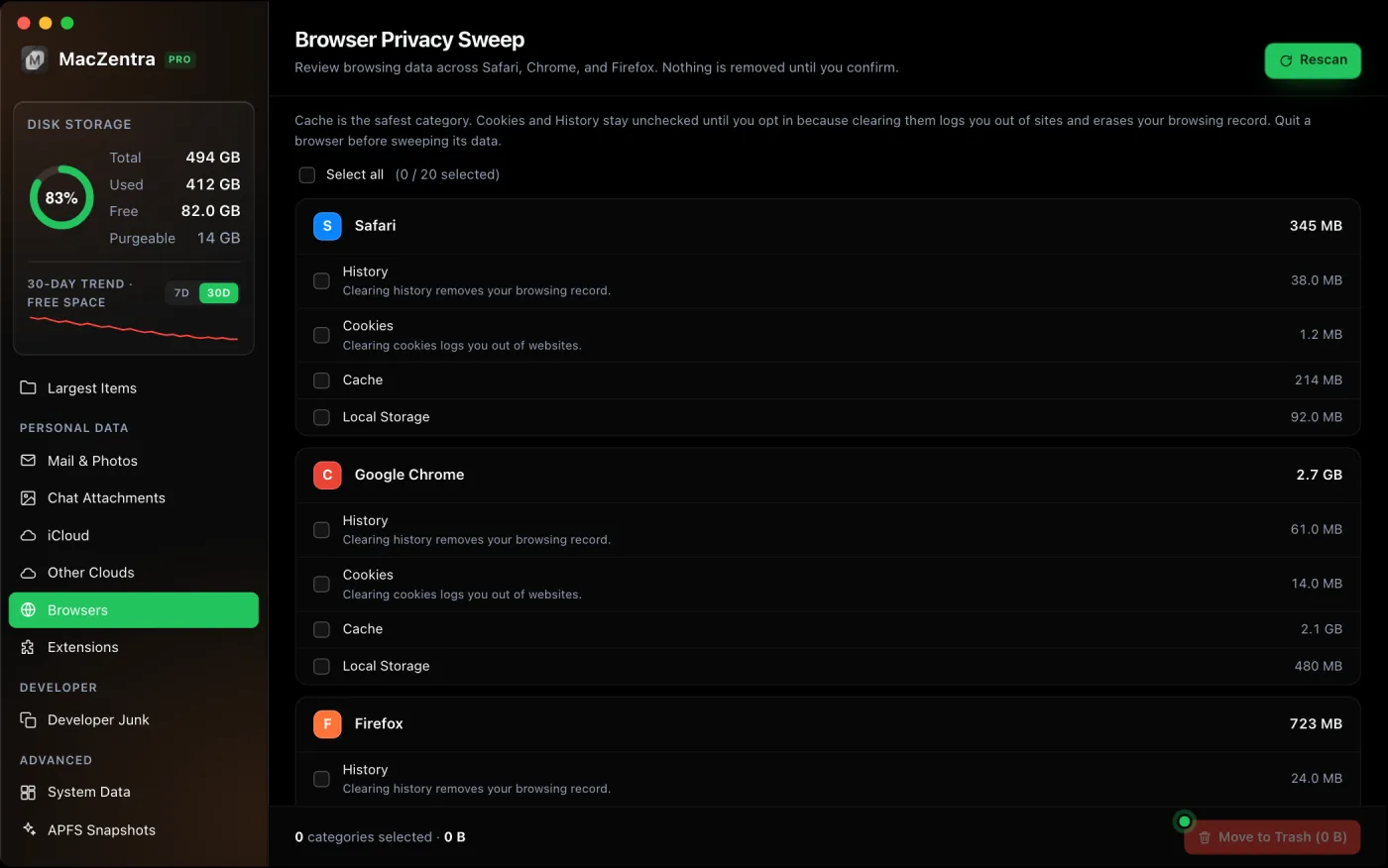
A browser's cache trades disk space for speed: it stores copies of pages, images and scripts so sites load faster next time. Over months that can grow to several gigabytes. Clearing it is safe, the only cost is that the next visit to each site is slightly slower, but there's one rule that matters: quit the browser first.
The one rule: quit the browser first
Browsers keep their history, cookies and local storage in live SQLite databases that they hold open while running, with their own write-ahead log. Deleting or editing those files while the browser is open can corrupt the profile. Always fully quit the browser before clearing its data, then it releases the files cleanly.
Clearing from inside the browser (recommended)
The safest route is each browser's own control, which handles the open-database problem for you:
| Browser | Where to clear |
|---|---|
| Safari | Settings → Advanced → "Show Develop menu", then Develop → Empty Caches. History is under Safari → Clear History. |
| Chrome / Brave / Edge | Settings → Privacy and security → Clear browsing data, pick "Cached images and files". |
| Firefox | Settings → Privacy & Security → Cookies and Site Data → Clear Data. |
Where each browser keeps its data
If you'd rather clear it on disk (with the browser quit), these are the main locations. Removing the Cache folders is the safe, high-return part:
| Browser | Cache location |
|---|---|
| Safari | ~/Library/Caches/com.apple.Safari |
| Chrome | ~/Library/Caches/Google/Chrome |
| Firefox | ~/Library/Caches/Firefox/Profiles |
| Brave / Edge | ~/Library/Caches/BraveSoftware / Microsoft Edge |
# Quit the browser first. Example for Chrome's cache:du -sh ~/Library/Caches/Google/Chrome# Move to Trash via Finder rather than rm -rf for an undo path
Browsers are only one kind of cache. For app, system and developer caches too, see how to clear cache on a Mac.
How much space will I get back?
Cache is usually the big one, commonly 1 to 5 GB for a browser you use daily, and it refills as you browse, so it's a recurring win rather than a one-time fix. If browser data isn't your main hog, the bigger savings are generally in large files and other app caches.
Everything MacZentra can clean
Treemap and Sunburst disk maps, a duplicate finder, Developer Junk, a complete app uninstaller and more, in one native storage cleaner for Mac that’s 15.4 MB.
Explore all features →Related guides

Free up space · 7 min
How to Compress a Video on iPhone and Mac
How to compress a video on iPhone and Mac with built-in tools: QuickTime export, Camera settings and trimming, and what each one costs in quality.
Free up space · 6 min
Messages Taking Up Space on Mac? How to Fix It
Messages taking up space on Mac is almost all attachments, not text. Find and delete the biggest ones, avoid losing a photo, and see what iCloud changes.
Free up space · 6 min
How to Clear App Cache on iPhone
How to clear app cache on iPhone: three methods that work, why Offload App keeps Documents and Data, and what each one costs in logins and downloads.
Check storage · 9 min
Best Mac Storage Cleaners 2026: Compared & Ranked
Mac storage cleaners and disk space analyzers compared by price, size, scan speed and licence. One-time, subscription and free options side by side.