Free up space
Best Disk Space Analyzer: 2026 Comparison for Mac and PC
The MacZentra team · Updated Oct 29, 2026 · 10 min read
Choosing the best disk space analyzer comes down to two specific factors: scan architecture and the long-term cost of ownership. The market is currently split between lightweight, privacy-focused tools that operate entirely on local hardware and resource-intensive applications that require cloud connectivity or recurring subscriptions. Selecting a tool that prioritizes local processing ensures that system data remains private while avoiding the performance drag often associated with bloated background processes.
This comparison evaluates the top-rated software for Mac and PC, focusing on visual mapping capabilities and license transparency. It settles the debate between one-time purchases and subscription models by analyzing how each tool handles modern file systems. Readers will be able to identify which utility offers the most efficient path to clearing hidden junk, managing duplicate files, and maintaining a clean drive without ongoing financial commitments.
Key takeaways
- Prioritize native macOS cleaners like MacZentra to avoid the performance overhead and privacy risks of bloated, cloud-based alternatives.
- Choose one-time purchase utilities over monthly subscriptions to save significantly on long-term disk maintenance costs.
- Use visual mapping tools like Treemaps and Sunburst views to identify large, hidden 'developer-junk' and system caches quickly.
- Verify OS compatibility for legacy systems, as some analyzers support Windows versions as old as Windows 7.
Table of contents
- MacZentra leads for native performance and privacy
- Visual mapping transforms cluttered disks into manageable data
- Nektony offers speed for modern macOS environments
- Windows users rely on legacy compatibility and community consensus
- Ranking criteria focuses on privacy and ownership costs
- Frequently asked questions
- Selecting the Right Tool for Your Workflow
MacZentra leads for native performance and privacy
Professional Mac users seeking the best disk space analyzer should prioritize efficiency over feature creep. MacZentra stands out in 2026 by maintaining a lean 11MB build that avoids the system drag common in multi-purpose utility suites. By focusing strictly on disk analysis, it operates with native speed on modern macOS architectures. This lightweight footprint ensures that the application launches instantly and completes full-drive scans without monopolizing system resources, making it an ideal tool for those who need to clear space during active production workflows.
The software follows a traditional ownership model, which distinguishes it from the increasing number of bloated competitors that require recurring monthly or annual fees. MacZentra is available for a one-time payment of $49.99, though users should confirm current pricing and any available bundles on the developer’s website. This flat-fee structure provides long-term value for professionals who want a reliable tool without the overhead of a subscription. Avoiding a SaaS model prevents the "subscription fatigue" often associated with modern utility software, ensuring the tool remains accessible whenever storage limits are reached.
Security-conscious users will find MacZentra’s privacy-first approach superior to cloud-dependent alternatives. The application performs all scanning and data indexing locally on the machine, ensuring that file metadata and directory structures never leave the local environment. This offline processing is central to the developer's Privacy Policy, which outlines how user data remains protected from external telemetry. By keeping the analysis entirely on-device, the tool mitigates the risks associated with data breaches or unauthorized access to sensitive file names and locations.
Visual mapping transforms cluttered disks into manageable data
Identify large files using visual mapping tools rather than manual searching. Treemaps and Sunburst views convert complex directory structures into interactive maps where file size determines visual area. Treemaps use nested rectangles to represent folders, making it easy to see which subdirectories occupy the most space at a glance. Sunburst views use concentric rings to display the file hierarchy from the center outward, allowing you to drill down through layers of data. These visualizations allow a professional to bypass thousands of small system files and immediately target the massive caches or forgotten video projects that cause storage shortages.
Select tools that include actionable cleanup features rather than simple visualization. Leading analyzers now incorporate app uninstallers that track down hidden support files and duplicate finders that identify byte-for-byte identical content. If you have a bloated image library, Find Duplicate and Similar Photos on a Mac to reclaim space from redundant media before performing a full system scan. These integrated features ensure that once you identify a problem area, you can resolve it without switching between multiple utilities.
Choose software based on your specific OS requirements and scanning speed. For instance, the Disk Space Analyzer for Windows desktop environments is compatible with Windows 11, 10, 8.1, 8, and 7. While legacy tools like WinDirStat remain popular for their classic block-based layouts, modern alternatives like Disk Space Analyzer Max offer faster indexing for the high-capacity NVMe drives common. Check the vendor’s current licensing page to confirm features and pricing, as these plans are subject to change.
| Option | Best for | Strongest point | Main trade-off |
|---|---|---|---|
| Disk Space Analyzer | Windows users | Support for Windows 7 through 11 | Lacks native macOS version |
| Nektony Disk Space Analyzer | Mac professionals | Intuitive Sunburst visualization | Limited to Apple ecosystem |
| Disk Space Analyzer Max | Advanced cleanup | Integrated duplicate detection | Higher resource usage during scans |
| WinDirStat | Traditionalists | Open-source and free to use | Slower scanning on modern SSDs |
Nektony offers speed for modern macOS environments
Mac professionals requiring immediate visualization of their storage should consider Nektony’s Disk Space Analyzer. By applying over 15 years of Mac expertise, the developer has optimized the utility for speed, enabling the software to scan a drive and deliver results in less than a minute. This efficiency is paired with broad compatibility, as the app supports macOS versions ranging from 11.0 through 27. Users have validated this performance through a 4.3-star Disk Space Analyzer rating, citing its ability to quickly pinpoint large, forgotten files across modern macOS environments.
While the technical performance is high, cost-conscious users must weigh the ongoing expense of the software's pricing structure. Access to the full suite of features starts from $4.95 per month. Readers should confirm this detail on the vendor’s current page as rates are subject to change. For those who prefer a one-time purchase, this recurring subscription model may serve as a significant drawback compared to legacy tools. However, for professionals who prioritize rapid indexing and a polished interface, the Nektony Disk Space Analyzer for Mac remains a leading choice for maintaining lean system volumes without manual searching.
Windows users rely on legacy compatibility and community consensus
Windows users seeking the best disk space analyzer in late 2026 continue to prioritize tools that offer broad version support and community-verified reliability. A recent Microsoft Community Hub discussion started on Oct 09, 2026, highlights that even as newer operating systems evolve, a significant volume of users remains active on Windows 10, seeking efficient ways to manage storage. This specific thread has generated 11 replies this month, featuring contributions from users like Mohammedop, ArthurClark, and ZackRobertson. While these individual posts have received 0 likes, the ongoing engagement indicates that finding a definitive solution for legacy systems remains a persistent concern for the Windows user base.
For those managing diverse hardware environments, the MindGems Disk Space Analyzer remains a versatile option due to its extensive backward compatibility. The software supports Windows 11, 10, 8.1, 8, and 7, providing native support for both 32-bit and 64-bit architectures. This makes it particularly useful for professionals maintaining older workstations alongside modern builds. While Windows users focus on these compatibility layers, those working across platforms should note that storage bloat often manifests differently on Apple hardware; reviewing a guide on System Data on Mac can provide necessary context for cross-platform storage management. WinDirStat also maintains its position as a community staple, offering the familiar treemap visualization that many Windows administrators still prefer over modern, simplified interfaces.
Ranking criteria focuses on privacy and ownership costs
Prioritize tools that execute all file indexing and metadata analysis locally. Data privacy is a primary concern for professionals handling sensitive client files or proprietary projects. Select a disk space analyzer that does not require an internet connection to map a drive. It should not upload file hierarchies to a remote server for processing. The highest-ranked tools in this category operate entirely within the system's sandbox, which ensures that the structure and contents of a hard drive remain confidential. Verify the specific privacy policy on the vendor's current page to ensure no telemetry includes file names or directory paths.
Evaluate the total cost of ownership by favoring perpetual licenses over recurring subscriptions. Software renting adds unnecessary monthly overhead for a utility used during periodic system maintenance rather than daily workflows. This ranking favors software that allows for a one-time purchase. This provides long-term access to core features without the risk of losing functionality due to a lapsed payment. When selecting a tool, check the developer’s current pricing page for the latest terms regarding lifetime updates versus paid major version upgrades.
Apply these standards to filter out software that bundles unwanted cloud services or aggressive renewal terms. A professional-grade analyzer must be a lightweight, single-purpose utility that respects both the user’s budget and their data sovereignty. By focusing on the two pillars of privacy and ownership, this comparison identifies tools that offer high utility without creating ongoing financial or security liabilities for the user.
Frequently asked questions
What is the best disk space analyzer for Windows 10?
WizTree is the best disk space analyzer for Windows 10 due to its high-speed MFT scanning and community-verified reliability. While WinDirStat remains a popular open-source alternative for legacy compatibility, WizTree provides the near-instant results required by modern professionals. Both tools effectively manage NTFS drives without requiring significant system resources.
Is there a free disk space analyzer for Mac?
GrandPerspective is a reliable free disk space analyzer for Mac that uses a treemap visualization to identify large files. While it lacks the advanced privacy features and native performance of MacZentra, it offers a functional, open-source solution for basic cleanup tasks. It remains compatible with current macOS versions.
How do I find what is taking up space on my hard drive?
Use a visual mapping tool to generate a treemap or sunburst chart of your storage. These graphical representations allow you to identify large folders and hidden system files that standard file browsers often obscure. Once the scan completes, you can target specific high-impact directories for immediate deletion or archiving.
Are disk space analyzers safe for my privacy?
Most reputable disk space analyzers are safe, provided they process data locally without uploading file metadata to the cloud. Tools like MacZentra prioritize privacy by keeping all scan results on your machine. Always verify that a utility does not require unnecessary network permissions before granting it full disk access.
Selecting the Right Tool for Your Workflow
- Identify your platform. Determine if you require the specialized optimization of Nektony for modern macOS versions or a legacy-compatible Windows utility for older environments.
- Prioritize data privacy. Choose a tool that guarantees local processing to protect sensitive professional files from the telemetry risks prevalent.
- Select mapping preferences. Decide whether interactive visual treemaps or traditional directory lists best serve your specific file-cleaning workflow and visual style.
- Confirm total cost. Review whether a one-time lifetime license or a recurring subscription model fits your long-term 2026 budget requirements.
For professionals who demand peak native performance and uncompromising privacy, visit MacZentra to secure your workspace. MacZentra delivers the industry-leading visual mapping and data security necessary for modern storage management.
Everything MacZentra can clean
Treemap and Sunburst disk maps, a duplicate finder, Developer Junk, a complete app uninstaller and more, in one native storage cleaner for Mac that’s about 15 MB.
Explore all features →Related guides
Free up space · 8 min
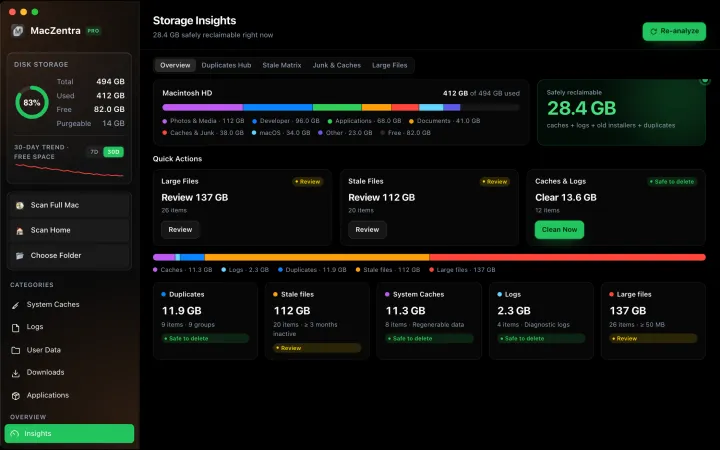
Free Up Space on Mac: 10 Fixes, Biggest First
Ten ways to free up Mac storage ranked by typical space recovered. Covers hidden Library folders and leftovers macOS Storage settings never show.
Free up space · 5 min
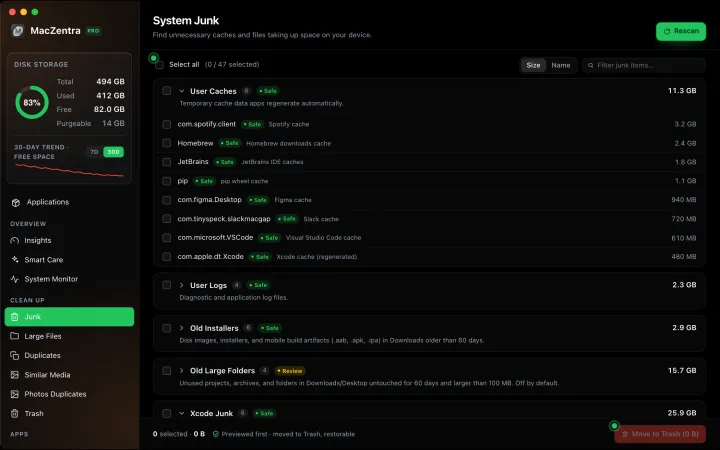
~/Library/Caches: What's Safe to Delete on Mac
Which ~/Library/Caches folders are safe to delete, which to keep, and how to clear them without breaking apps.
Free up space · 3 min
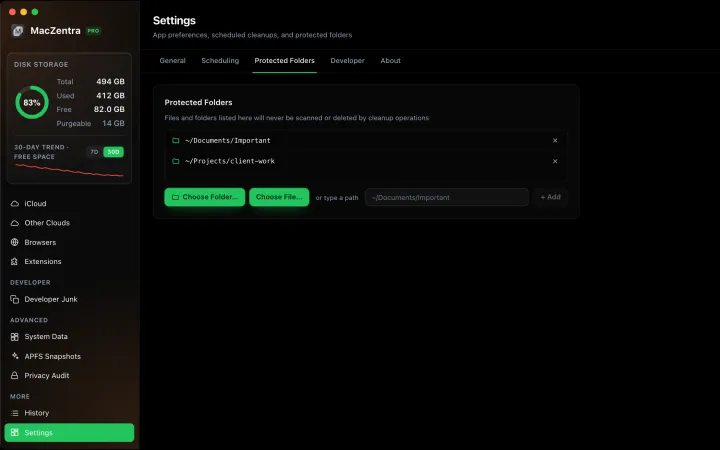
Protected Files & Folders: Keep Items Safe
How the built-in protected paths guard system-critical locations, and how to add your own custom folders to prevent accidental deletion.

Free up space · 4 min
Smart Care: One-Click Maintenance for Your Mac
Automate daily maintenance with Smart Care: clear caches, empty Trash, flush DNS, and purge inactive memory in a single workflow. Schedule it or run it on demand.