
Free up space
How to Delete Duplicate Photos on iPhone
The MacZentra team · Updated Nov 17, 2026 · 6 min read
To delete duplicate photos on iPhone, open Photos, scroll down to Utilities and open Duplicates (on iOS 17 and earlier, tap Albums first). Tap Merge on a set, or Select and merge many at once. Photos keeps the best copy and moves the rest to Recently Deleted. The album only holds exact copies, so near-identical shots need a different step, covered below.
1. Find duplicate photos on iPhone with the Duplicates album
iOS 16 and later can spot duplicates for you. There is nothing to install, and it works the same on iPhone and iPad.
- Open the Photos app. On iOS 17 and earlier, tap Albums at the bottom.
- Scroll down to the Utilities section and tap Duplicates.
- Each row is a set of copies. Tap Merge on a row to deal with that set.
- To clear the lot, tap Select, then Select All, then Merge, and confirm.
This is also the quickest way to see duplicate photos on iPhone: the album groups them for you, so there is no scrolling through the whole library. If you want to look before you merge, tap a set and swipe through the copies first.
2. What Merge keeps, and what it removes
Merge does not just delete one copy at random. Photos picks the version with the highest quality and the most complete information, and it combines details such as favorites, captions and keywords from the copies into that one photo. The other copies are moved to Recently Deleted.
That means a favorite you marked on a lower-quality copy is not lost. It also means the space does not come back straight away, because Recently Deleted holds items for 30 days. To reclaim it sooner, open Utilities → Recently Deleted (it may ask for Face ID or your passcode), tap Select and then Delete All. If you change your mind first, our guide to recovering deleted photos on iPhone covers the way back.
3. Why the Duplicates album is missing or looks short
Two reasons come up again and again. The first is an older iOS version: the album needs iOS 16 or later. The second is that the phone has not finished analysing your library. Photos does that work in the background, mostly while the iPhone is locked and charging, and a large library can take a day or more to be checked.
- Plug the iPhone in overnight, with the screen locked and Wi-Fi on.
- Leave the Photos app alone for a while, since analysis can pause while you use the phone heavily.
- With iCloud Photos on, let the library finish syncing first, because new items are analysed later.
- Check again the next day. The count often grows as the analysis catches up.
A short album can also be correct. The Duplicates album is meant for exact and near-exact copies, so two shots taken a second apart are usually a different problem, covered next.
4. Exact duplicates, similar photos and bursts
Most of the confusion about how to remove duplicate photos on iPhone comes from mixing up three things that look alike in the grid. They need different handling.
| Type | What it is | How to handle it |
|---|---|---|
| Exact duplicates | The same photo saved twice, usually from a re-download, a messaging save or an import | Merge them in Utilities → Duplicates |
| Similar photos | Separate shots of the same scene, a few seconds apart or retaken to get a better one | Review by hand and delete the weaker ones. Photos does not group them for you |
| Bursts | A fast run of shots taken by holding the shutter button, stored as one stack | Open the stack, tap Select, mark the keepers and choose Keep Only Favorites |
You can find bursts under Media Types → Bursts. They are not duplicates in the Photos sense, so they never appear in the Duplicates album. A single burst can hold dozens of frames, which is why a few of them add up.
5. How to get rid of duplicate photos on iPhone that Photos does not catch
For similar shots, the built-in route is manual. Open the photo you want to compare, swipe to its neighbours, and delete the weaker ones with the bin icon. In a long run of near-identical photos this gets slow, which is where a dedicated tool helps.
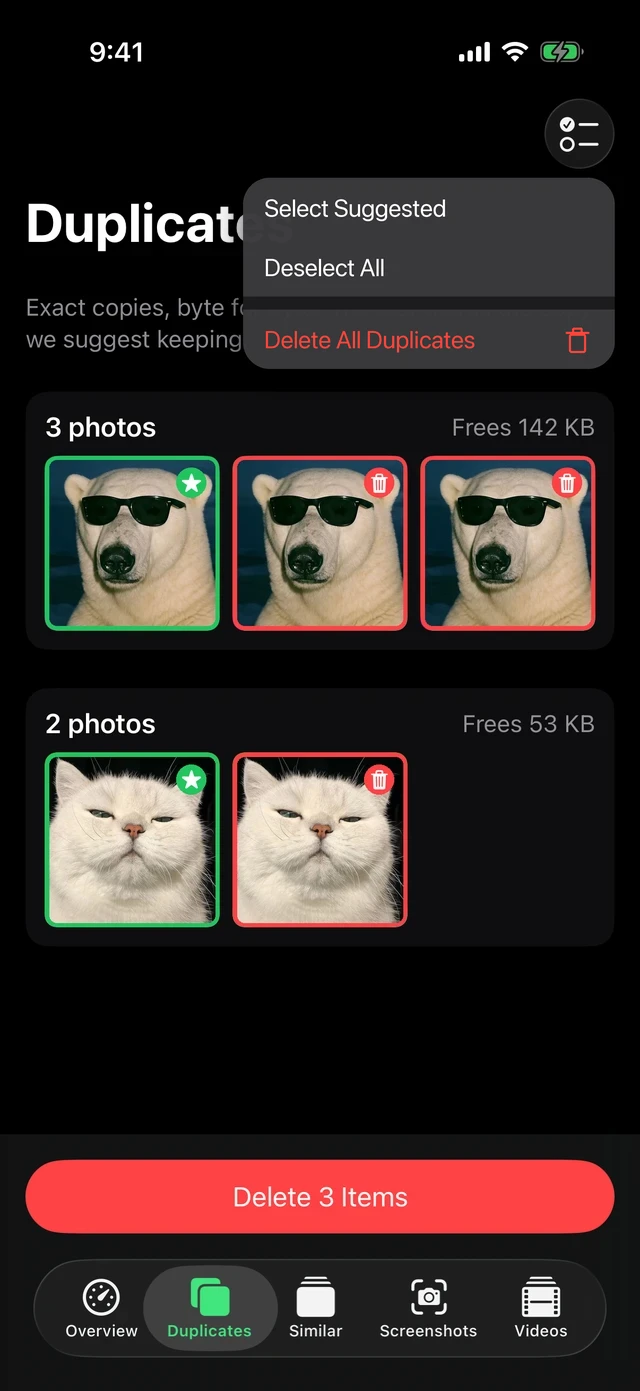
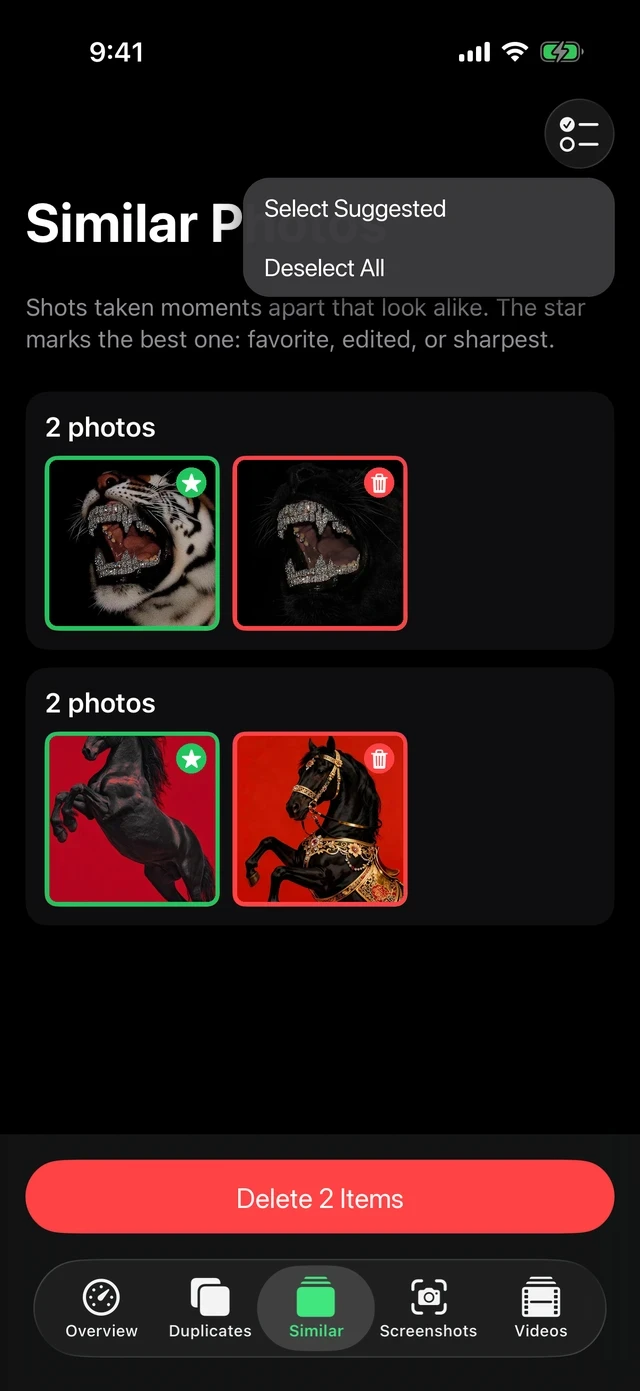
MacZentra for iPhone and iPad groups duplicates and similar photos and shows the space each group would free. Nothing is uploaded, because analysis happens on the device. You review each group, keep the best photo, and iOS asks you to confirm the deletion. Scanning and deleting exact duplicates are free. Bulk deletion of similar photos is part of Pro. For the rest of the photo clean-up, including screenshots and large videos, see cleaning photos, duplicates and screenshots on iPhone.
Before you delete: three checks
- iCloud Photos is on? Deleting a photo on the iPhone deletes it from iCloud and your other devices too. That is normal syncing, but it is worth knowing before you clear Recently Deleted.
- Settings path. Photos options live under Settings → Photos on iOS 17 and earlier, and under Settings → Apps → Photos on iOS 18 and later.
- Is it really Photos? Pictures received in chats are stored by Messages. Check how to check iPhone storage to see which category is large before you spend an hour merging.
Photos are only one slice of a full phone. What to do when iPhone storage is full lists the other fixes, and why iPhone System Data is huge explains the grey section. Old screenshots are a common second pile, handled in finding and deleting screenshots on iPhone.
Photos on a Mac work differently. The steps for the desktop are in how to find duplicate photos on a Mac.
Questions people ask
How do I delete duplicate photos on my iPhone?
Open Photos, scroll to Utilities, tap Duplicates and use Merge on a set, or Select and Merge for all of them. Merged copies go to Recently Deleted.
Why can’t I see the Duplicates album on my iPhone?
You need iOS 16 or later, and the phone has to finish analysing your library. Leave it locked and charging overnight, then check again.
Does Merge delete the original photo?
It keeps the best version and combines the details from the others into it. The extra copies move to Recently Deleted for 30 days, so you can still restore them.
How do I remove duplicate photos on iPhone if they are not identical?
The Duplicates album only lists exact copies. For similar shots, review them by hand, use Keep Only Favorites on bursts, or use an app that groups similar photos.
Will deleting duplicates free up space straight away?
Not until Recently Deleted is emptied, either by you or automatically after 30 days.
Everything MacZentra can clean
Treemap and Sunburst disk maps, a duplicate finder, Developer Junk, a complete app uninstaller and more, in one native storage cleaner for Mac that’s 15.4 MB.
Explore all features →Related guides
Free up space · 8 min
Free Up Space on Mac: 10 Fixes, Biggest First
Ten ways to free up Mac storage ranked by typical space recovered. Covers hidden Library folders and leftovers macOS Storage settings never show.

Free up space · 5 min
Is It Safe to Delete Library Caches on Mac? What to Keep and Clear
Yes for most apps. See which ~/Library/Caches and /Library/Caches folders are safe to delete, which to leave alone, and how to clear them step by step.

Free up space · 3 min
Protected Files & Folders: Keep Items Safe
How the built-in protected paths guard system-critical locations, and how to add your own custom folders to prevent accidental deletion.

Free up space · 4 min
Smart Care for Mac: Automate Cache, Trash and Memory Cleanup
Automate Mac maintenance with Smart Care: clear caches, empty Trash, flush DNS and purge inactive memory in one workflow. Schedule it or run it on demand.