
Check storage
How to Check iPhone Storage and Read the Bar
The MacZentra team · Updated Nov 17, 2026 · 6 min read
To check iPhone storage, open Settings, tap General, then tap iPhone Storage. A coloured bar shows how much of the phone is used, with a list of apps sorted by size underneath. That is the whole answer to how to check iPhone storage. The rest of this guide explains what each colour in the bar means and why the numbers move.
1. The Settings path, step by step
These steps are the same on every iPhone and iPad running a current version of iOS or iPadOS.
- Open Settings.
- Tap General.
- Tap iPhone Storage (on an iPad it says iPad Storage).
- Give it a few seconds. The screen says it is calculating, and the figures settle once the list has loaded.
At the top you see used space against the total, for example a figure out of 128 GB. Below the bar are a few suggestions, such as offloading unused apps, and then every installed app with its size. If you only wanted the free-space number, you are done.
2. What the coloured bar categories mean
Each colour is one category. The names can differ slightly between iOS versions, but the groups are the same. Tap the bar or scroll the list to see the detail.
| Category | What is in it | Can you reduce it? |
|---|---|---|
| Applications | The apps you installed and the data they keep | Yes. Delete or offload apps, clear app data inside the app |
| Photos | Your photo and video library, including edits | Yes. Delete items, empty Recently Deleted, use Optimize iPhone Storage |
| Messages | Text and chat history, plus attached photos and videos | Yes. Review large attachments or set messages to expire |
| Media | Music, podcasts and downloaded videos | Yes. Remove downloads you no longer play |
| Downloaded messages and attachments | Partly. Remove the account or reduce what it keeps | |
| iOS | The operating system itself | No. It only grows with updates |
| System Data | Caches, logs, Siri voices, temporary files and anything iOS does not file elsewhere | Not directly. iOS manages it, but it can shrink on its own |
System Data is the one that surprises people. If yours looks huge, read why iPhone System Data is so big before you try anything drastic.
What does Applications mean in iPhone storage?
Applications is the combined space used by every app on the phone: the app itself plus the documents and data it stores. In some iOS versions the same category is simply labelled Apps. It is rarely the biggest slice unless you have large games or offline maps, but it is often the easiest one to shrink, because you decide which apps stay.
3. How to read the per-app list
Scroll down on the iPhone Storage screen and tap any app. Most apps show two numbers, and the difference between them decides what you can safely remove.
- App Size. The space the app itself takes. Deleting and reinstalling the app resets this number.
- Documents & Data. What the app has saved: downloads, offline videos, caches, message history. This is usually the part that grows over time.
A small app with a huge Documents & Data figure is a classic case. Streaming, messaging and podcast apps are common examples. Clear the downloads inside the app first, since that keeps your login and settings.
You then have two options on the same screen. Offload App removes the app but keeps its documents and data, so reinstalling brings everything back. Delete App removes both. Offloading suits apps you use now and then, deleting suits apps you are finished with.
4. iPhone storage vs iCloud storage
This is the most common mix-up. They are two separate pools of space. iPhone storage is the flash memory inside the phone, fixed when you bought it. iCloud storage is online space you rent from Apple for backups, iCloud Photos and synced files.
Buying more iCloud space does not add a single gigabyte to the phone. It only gives the phone somewhere to send things. To see your iCloud usage, open Settings, tap your name at the top, then tap iCloud.
The two do connect. With iCloud Photos on, Optimize iPhone Storage keeps full-size originals in iCloud and smaller versions on the phone, which frees local space. Our guide to cleaning iPhone photos, duplicates and screenshots covers that setting. On a Mac, the same idea is explained in how iCloud Optimize Storage works on a Mac.
5. Check iPhone storage from a Mac
If the phone is connected to a Mac, Finder shows a storage bar too.
- Connect the iPhone with a cable and wake it with your passcode.
- If asked, tap Trust on the phone and enter the passcode.
- Select the iPhone under Locations in the Finder sidebar.
- Open the General tab. A bar along the bottom shows used space by category.
It is the same information as the phone shows, just on a bigger screen. If your Mac is the one running out of room, start with how to check storage on a Mac instead.
6. Why the numbers take a moment (and change)
iOS does not keep a running total. When you open the screen it scans the phone and sorts everything into categories, which is why you see a short wait. Early figures can shift as the scan finishes.
Two things add to the confusion. Some space is counted as in use but can be cleared when the phone needs it, such as caches and optimized photo copies. And files you just deleted from Photos stay in Recently Deleted, so the bar barely moves until that album is emptied. If the phone is nearly full right now, what to do when iPhone storage is full has the order to work in.
Using MacZentra on both devices? App Store edition vs web version explains which Mac edition fits you.
Once you know where the space went, how to get more storage on iPhone lists the ways to add room, and what to do when iCloud storage is full covers the online side.
Questions people ask
How do I check storage on my iPhone quickly?
Go to Settings → General → iPhone Storage. The bar at the top is the quick answer, and the app list below shows what is using it.
Why does my iPhone say storage is almost full when I have few apps?
Photos, Messages attachments and System Data are the usual reasons, not apps. Check the bar categories above. Deleted photos also keep using space for 30 days in Recently Deleted.
Does buying more iCloud storage free up space on my iPhone?
Not by itself. It only helps if you turn on features such as iCloud Photos with Optimize iPhone Storage, so originals move off the phone.
What is the difference between iPhone storage and iCloud storage?
iPhone storage is the memory built into the device. iCloud storage is rented online space for backups and synced data. They are counted separately.
Can I make System Data smaller?
Not directly, because iOS manages it. Restarting the phone and keeping some free space lets iOS clear caches on its own. The full explanation is in the guide on huge System Data on iPhone.
Everything MacZentra can clean
Treemap and Sunburst disk maps, a duplicate finder, Developer Junk, a complete app uninstaller and more, in one native storage cleaner for Mac that’s 15.4 MB.
Explore all features →Related guides
Check storage · 4 min
Mole Mac Cleaner: What It Is and How It Compares
Mole is a free, open-source Mac cleaner you run from Terminal. See what it does, how it installs and how it compares with MacZentra.
Check storage · 9 min
Best Mac Storage Cleaners 2026: Compared & Ranked
Mac storage cleaners and disk space analyzers compared by price, size, scan speed and licence. One-time, subscription and free options side by side.
Check storage · 5 min
Mac Disk Usage Analyzer: Read a Treemap and Sunburst
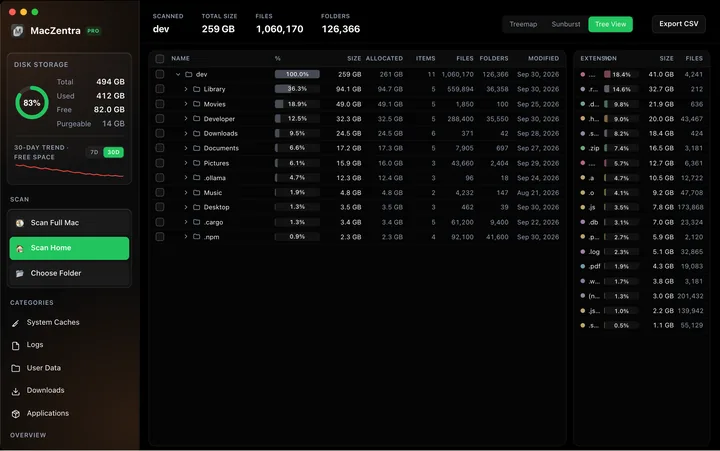
How to read a Mac disk usage analyzer: Treemap, Sunburst and Tree View explained, what to check first, and a Terminal command to find big folders.
Check storage · 7 min
How to Check Storage on Mac: 5 Ways
Check storage on any Mac in under a minute: five built-in ways, what each colour in the storage bar means, and how to find what is using the space.