
Free up space
Best Mac Cleaner to Download in 2027 (Free and Paid)
The MacZentra team · Updated Nov 22, 2026 · 9 min read
The best Mac cleaner to download in 2027 depends on the job. DaisyDisk is the pick for seeing what fills your disk, AppCleaner for removing apps and their leftovers, OnyX for free maintenance, CleanMyMac for an all-in-one subscription, and MacZentra for a cleaner you pay for once. Prices and versions below were checked on each vendor’s own site in November 2026.
If you searched for the best Mac cleaner app, the best Mac cleaner software or a free Mac cleaner, this is the shortlist. We compare five tools on price, safety and what each one actually deletes, and we also cover how to clean a Mac without installing anything.
The short answer: which cleaner for which job
| If you want to | Download |
|---|---|
| See what is filling the disk, and decide yourself | DaisyDisk or MacZentra (free scan) |
| Uninstall an app with its leftovers, free | AppCleaner |
| Run maintenance and rebuild caches, free | OnyX |
| One subscription app for cleanup, malware and updates | CleanMyMac |
| Disk map plus cleanup in one app, paid once | MacZentra, $49.99 one time |
| Nothing to install | System Settings, then General, then Storage |
Do you need to download a Mac cleaner at all?
Often not. Apple’s guide to freeing space points you to built-in tools, and macOS removes some caches and temporary files by itself. Start with System Settings, then General, then Storage. It works on macOS Ventura 13 and later, including macOS Golden Gate 27, and it lists your biggest categories with their recommendations.
A cleaner earns its place in three cases: the disk is full and you can’t see why, you uninstall apps often and want the leftovers gone, or you want maintenance tasks without Terminal. If none of those fit, our 2027 plan to free up space on a Mac needs no download at all.
Mac cleaners compared, November 2026
| App | Price | Free tier | Latest version |
|---|---|---|---|
| MacZentra | $49.99 one time | Free scan and every map view, cleaning is paid | Apple silicon, macOS 13 or later |
| CleanMyMac | From $3.33 a month | Free trial | 5.5.7 (22 July 2026), macOS 11 or later |
| DaisyDisk | One-time lifetime licence | Free trial scans, deleting needs the licence | 4.34.2 (10 July 2026), macOS 10.13 or later |
| OnyX | Free, donations welcome | Everything is free | 5.1.2 for macOS Golden Gate 27 (2 November 2026) |
| AppCleaner | Free | Everything is free | 3.7 for macOS 15 or later |
Prices change and vary by country, so confirm on the vendor’s page before you buy. We haven’t benchmarked scan speed, so we don’t rank on it.
1. MacZentra: disk map and cleanup, paid once
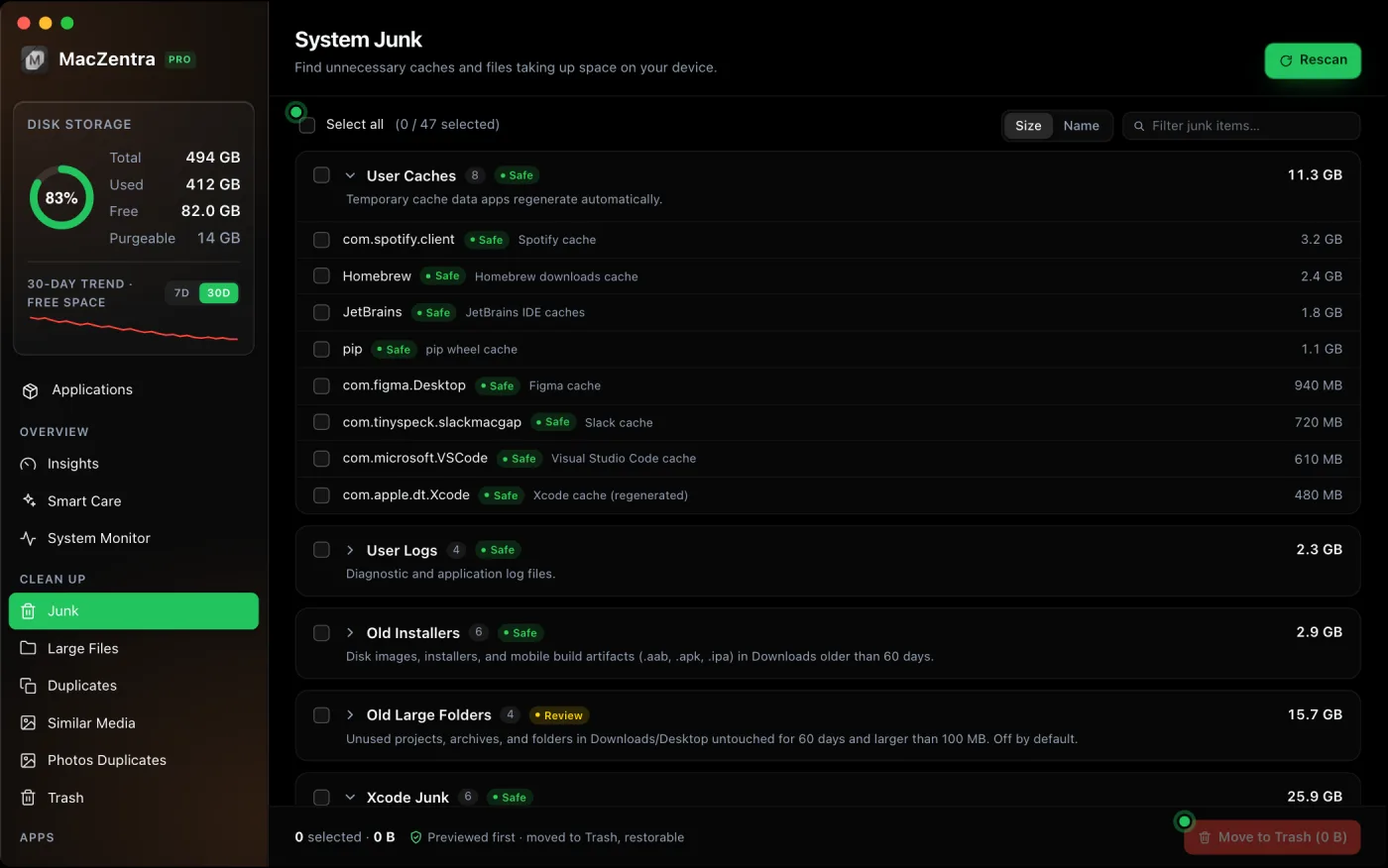
MacZentra scans your Mac into a Treemap, Sunburst and Tree View, then finds duplicates, developer junk (Xcode, Docker, node_modules), System Data, local snapshots, browser data and app leftovers. It is a native app of 15.4 MB that needs macOS 13 Ventura or later on Apple silicon. Scanning and every visualization are free. Cleaning is the paid part, $49.99 once with no subscription.
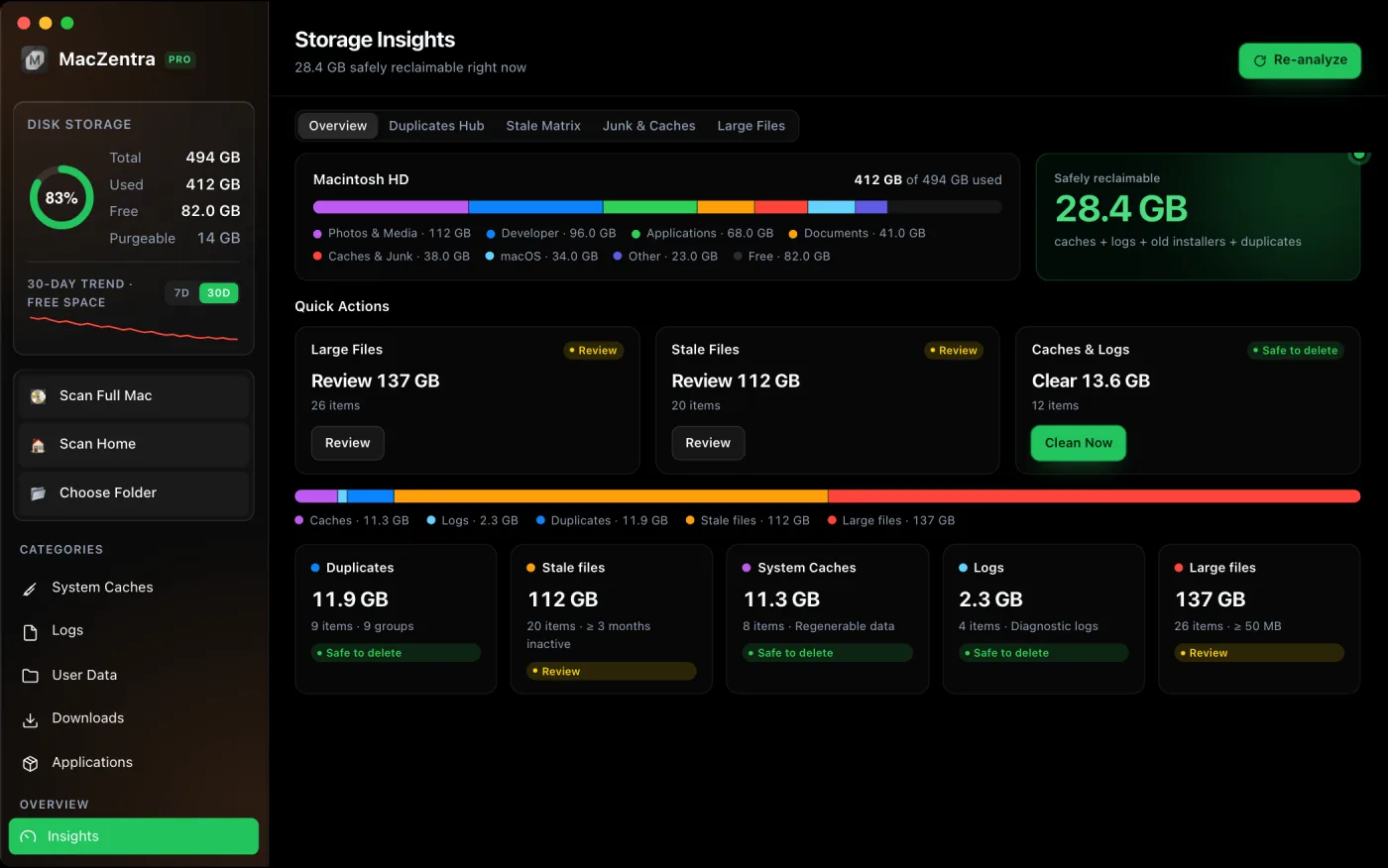
Good: the scan runs locally and nothing is uploaded. Everything it removes goes to the Trash, so a wrong pick can be restored. Strong on developer clutter.
Not great: it is not a malware scanner, and it needs Apple silicon, so an Intel Mac can’t run it. It is also a newer name than the others here.
2. CleanMyMac: the all-in-one, on a subscription
CleanMyMac from MacPaw bundles a Smart Care routine that runs cleanup, a malware scan, performance tasks, software updates and storage decluttering together. If you are weighing CleanMyMac free against paid, the free option is a trial. It also has an uninstaller, duplicate and similar-photo finders and cloud storage cleanup. Its page lists version 5.5.7 from 22 July 2026 and macOS 11 or later.
Good: one polished app for several jobs, with a free trial to test it.
Not great: it is a subscription, from $3.33 a month on the vendor’s page. A lot of what any cleaner removes is cache that apps rebuild, so check what you are actually paying for. Is CleanMyMac safe? Its page says it is notarized by Apple, which is a baseline check, not a review of what it deletes. Our CleanMyMac alternative comparison lines the two up.
3. DaisyDisk: best for seeing what uses space
DaisyDisk draws your disk as an interactive radial map. You click into the biggest segments, preview a file, and remove what you don’t need. It can scan as administrator, show a breakdown of System Data and manage snapshots. The licence is a one-time purchase for up to five personal Macs, with a 30-day money-back guarantee.
Good: fast, clear, and priced once. Version 4.34.2 shipped on 10 July 2026.
Not great: it shows sizes, not whether something is safe to delete. Its own comparison page says the files you delete are removed permanently, so read each item before you confirm. See DaisyDisk alternatives for the options.
4. OnyX: best free maintenance tool
OnyX from Titanium Software is a free utility the developer has made since 2003. It verifies system file structure, runs cleaning and maintenance tasks, deletes caches, rebuilds databases and indexes, and uninstalls apps. People often search for it as an OnyX Mac cleaner, but it is a maintenance utility, not a one-click cleaner.
Good: free, maintained, and it does real maintenance work. Version 5.1.2 for macOS Golden Gate 27 came out on 2 November 2026.
Not great: each version targets one macOS release, and the developer warns against running a build meant for an earlier system. The Golden Gate build needs Apple silicon. It is dense for beginners, and clearing caches slows apps until they rebuild them. More in the OnyX comparison.
5. AppCleaner: best free uninstaller
AppCleaner from FreeMacSoft does one job. You drop an app onto its window, it lists the related files, and you delete them with one click. Version 3.7 is for macOS 15 and later, and older builds cover macOS back to 10.10.
Good: free, small and simple, which makes it the best Mac app uninstaller if you don’t want to pay.
Not great: it doesn’t map your disk, find duplicates or run maintenance. Pair it with a disk map. See the AppCleaner comparison and our guide to uninstalling apps on a Mac completely.
What is the best free Mac cleaner in 2027?
There isn’t one Mac cleaner free of charge that does everything, but three free tools cover most needs. Storage settings handles everyday cleanup, AppCleaner removes apps with their leftovers, and OnyX handles maintenance. For seeing where space went, MacZentra’s scan and every map view are free too, and only the cleaning is paid. The best Mac storage cleaners comparison adds more detail on price and size.
Safety checklist before you download a cleaner
- Download only from the vendor’s own site or the App Store. A cracked copy from a free-software site is the usual way a cleaner turns into malware.
- Be wary of any site that throws alarming pop-ups about your Mac. Real vendors don’t need to scare you into a download.
- Pick a tool that shows you the list of files before it deletes, and ideally sends them to the Trash.
- Back up first. Time Machine takes minutes and turns a wrong click into a small problem.
- Treat Full Disk Access as a real grant. Give it only to a tool you trust, and remove it if you stop using the app.
How to choose in one minute
| Your situation | Start with |
|---|---|
| Disk almost full, no idea why | A disk map, then delete the few biggest items |
| You just want it simple and pay once | A one-time-priced cleaner with a free scan |
| You like Terminal-level control, free | OnyX, matched to your macOS version |
| You want malware scanning in the same app | A suite that lists it as a feature. Check what each vendor includes |
| Only need to remove a few apps | AppCleaner |
If space is the only problem, you may not need any download. The startup disk full guide gives the fastest fixes, and how to find large files on a Mac shows the free way to spot the big ones.
Questions people ask
What is the best Mac cleaner to download in 2027?
It depends on the job. DaisyDisk or MacZentra to see what uses space, AppCleaner to uninstall apps, OnyX for free maintenance, and CleanMyMac for an all-in-one subscription. Most people need only one or two of these.
Is it safe to download a Mac cleaner?
Yes, from the vendor’s own site or the App Store, with a backup first and a tool that previews what it deletes. The risk comes from cracked copies, bundled installers and scareware sites, not from established tools.
Does Apple recommend a Mac cleaner app?
Apple’s own guide to freeing space uses built-in tools such as Storage settings, the Downloads folder and emptying the Trash. It doesn’t point you to third-party cleaners.
Is CleanMyMac worth paying for?
If you want one app for cleanup, uninstalling, malware scanning and updates, and you are happy with a subscription, yes. If you only need a disk map or an uninstaller, a free or one-time tool costs less.
Is CleanMyMac safe?
It comes from an established vendor and its page says it is notarized by Apple. As with any cleaner, back up first and read what it selects before you confirm. If you want to compare it with other options, see CleanMyMac alternatives.
Do I need a Mac memory cleaner?
Usually not. macOS uses spare memory for caching on purpose, and storage and memory are different things. Read memory versus storage on a Mac before you install one.
Will a Mac cleaner speed up my Mac?
Only when the disk is nearly full. Freeing space then helps. On a Mac with plenty of room, removing caches mostly slows apps down while they rebuild. If speed is the problem, see why a Mac runs slow.
Everything MacZentra can clean
Treemap and Sunburst disk maps, a duplicate finder, Developer Junk, a complete app uninstaller and more, in one native storage cleaner for Mac that’s 15.4 MB.
Explore all features →Related guides
Free up space · 8 min
How to Find Unused Apps on Mac (Size and Last Opened)
Find unused apps on a Mac: sort Applications by Size and Date Last Opened in Finder, check one app with mdls, then delete it with its Library leftovers.
Free up space · 6 min
Clean Up iPhone Photos: Duplicates and Screenshots
Free up iPhone and iPad storage by finding duplicate and similar photos, screenshots and large videos, with a safe delete flow and 30 days in Recently Deleted.
Free up space · 6 min
How to Clear Cache on Mac (2027): Safe to Delete vs Keep
Clear cache on Mac safely: which system, app and browser caches to delete, which to keep, and exact steps for Safari, Chrome and ~/Library/Caches.
Check storage · 9 min
Best Mac Storage Cleaners 2026: Compared & Ranked
Mac storage cleaners and disk space analyzers compared by price, size, scan speed and licence. One-time, subscription and free options side by side.